
Ever wondered what ads your competitors are running on LinkedIn? There's a way to see their entire playbook, and it's completely free. The LinkedIn Ads Library is a public, searchable database of every single ad on the platform. Think of it as your own personal spyglass into the creative and copy that others in your industry are using to win business.
What Is the LinkedIn Ads Library?
Imagine being able to peek over the shoulder of the best marketers in your field. That's essentially what the LinkedIn Ads Library gives you. Originally rolled out to boost advertising transparency and meet regulations like the Digital Services Act (DSA), it has quickly become a go-to intelligence tool for anyone serious about marketing or sales.
This isn't just a simple gallery of ads; it’s a strategic goldmine. Instead of guessing which messages are hitting the mark, you can see them in action. The library pulls back the curtain on what was once a total black box, giving you a front-row seat to the campaigns that are capturing attention on the world's biggest professional network.
Accessing the Library and Its Interface
Getting into the library is dead simple. You don't even need a LinkedIn account to start snooping around. Just head straight to the LinkedIn Ads Library homepage. You can also find a link on any company's official LinkedIn Page, right under their "Posts" tab.
When you land on the homepage, you’ll be greeted by a clean and simple search interface.
Just type in an advertiser's name or a keyword, and you're off. This straightforward starting point is your gateway to a massive collection of ad examples.
What You Can and Cannot See
While the library is packed with useful insights, it's important to know what it shows you and what it keeps under wraps. You get a fantastic view of the creative side of things, but the performance data is kept private to protect advertisers' confidential information.
The library is all about transparency. It shows you what your competitors are running, but it's your job to figure out why it might be working.
So, what exactly can you find? You'll be able to see:
- The Full Creative: The complete video or image used in the ad.
- The Ad Copy: Every word of the headline and main text.
- The Advertiser: Who paid for the ad is clearly listed.
- Active Dates: You can see when an ad started running. This is a great clue for spotting campaigns that are performing well, as they tend to run for longer.
To give you a clearer picture, I've put together a table that breaks down what you can and can't access for any given ad.
Key Information Available in the LinkedIn Ads Library
| Data Point | Availability & Details |
|---|---|
| Ad Creative | Available. You can see the full image, video, or carousel creative. |
| Ad Copy | Available. The headline, primary text, and call-to-action are visible. |
| Advertiser | Available. The name of the company page that ran the ad is always shown. |
| Active Dates | Available. You can see the date the campaign was first seen on the platform. |
| Targeting Criteria | Partially Available. For ads shown in the EU, you get some targeting info. For elsewhere, this is not visible. |
| Performance Metrics | Not Available. Data like impressions, clicks, CTR, and conversions are kept private. |
| Ad Spend / Budget | Not Available. All financial information is confidential. |
| A/B Test Variations | Not Available. You can only see the final versions of ads, not the different variations tested. |
As you can see, the library doesn't reveal everything. You won't find specific budget numbers, click-through rates, or conversion data. That means you can study the strategy, but you can't measure its exact return on investment directly through the tool.
Mastering Search and Filter Functions
Anyone can scroll through the LinkedIn Ads Library, but the real skill lies in finding the right ads. That's where the platform’s search and filter functions come in. Think of them as your investigator's toolkit, helping you cut through the noise and zero in on the exact information you need. It’s the difference between casually browsing and conducting targeted, strategic research.
The basic search bar is more powerful than it looks. You can kick things off by simply typing in a competitor's name to see everything they have running. Or, you could search for a keyword like "CRM software" or "project management tool." This will pull up ads from all sorts of companies in that space, giving you a fantastic bird's-eye view of the market's messaging. It's a great way to cast a wide net before you start getting specific.
This simple three-step process is really the core of using the library effectively.
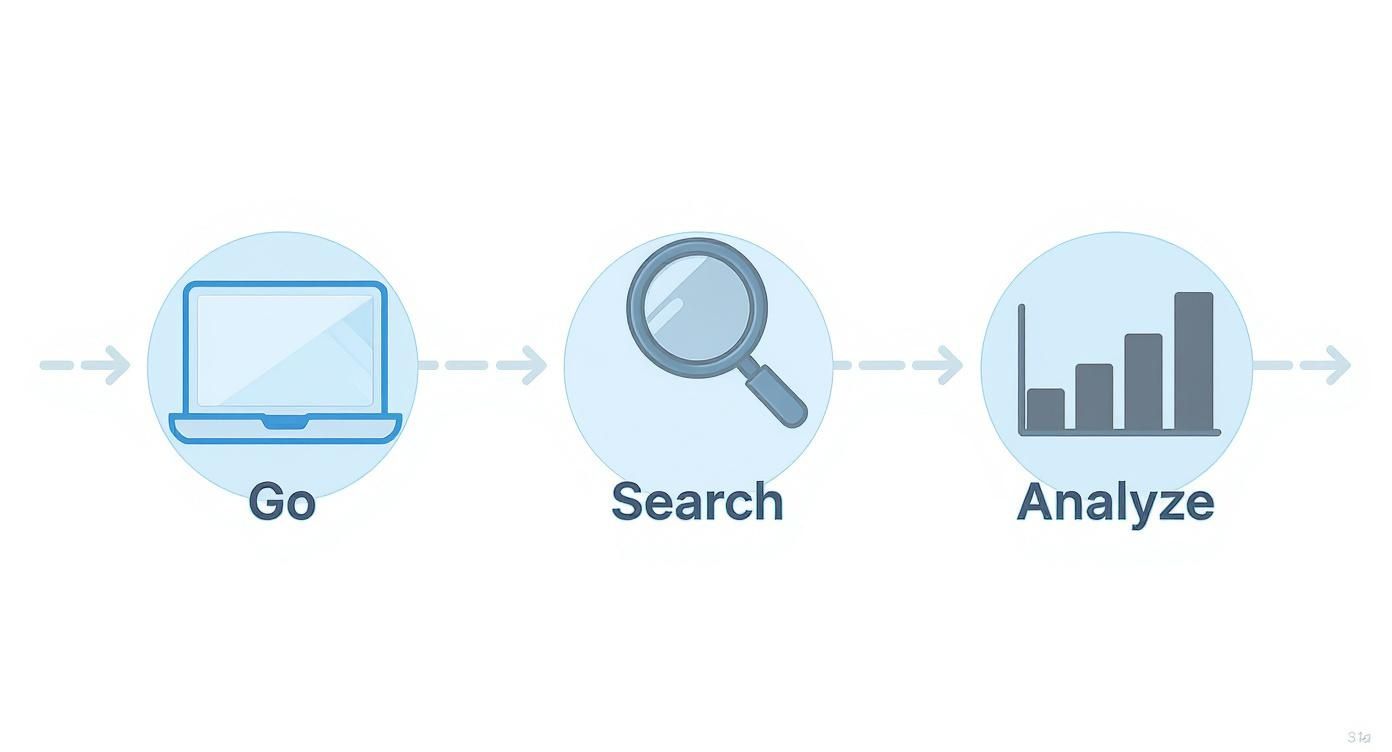
Following this flow helps you turn what is essentially a mountain of raw ad data into genuine insights for your own campaigns.
Combining Filters for Precision
The real magic happens when you start layering filters on top of each other. This is how you can pinpoint the exact types of ads you want to analyse. For example, instead of just looking up a competitor, you can isolate the campaigns they ran in a specific country during a particular time of year.
Here are a few powerful combinations to try:
- Advertiser + Date Range: Perfect for analysing seasonal campaigns. Want to see what your top competitor ran during the Q4 holiday rush last year? This is how you find out and get a head start on their next move.
- Keyword + Country: This is brilliant for understanding how messaging changes from one region to another. A company might use very different ad copy and visuals when targeting customers in the United Kingdom versus the United States.
- Advertiser + Keyword: Use this combo to dissect a competitor’s specific product launch or a big promotion for one of their key services.
The goal isn't just to find ads; it's to find patterns. By strategically applying filters, you can isolate variables and start to see how different companies tackle specific markets, seasons, and product offerings.
Practical Use Cases for Filters
To get the most out of the filters, you need to go in with a clear objective. Let’s walk through a real-world example of how you can use them to answer important strategic questions.
Imagine a German B2B tech company wants to see how its competitors are advertising to young professionals. Germany is a huge, active market on LinkedIn, so these insights are incredibly valuable. As of September 2025, LinkedIn had around 23.5 million users in Germany, with the 25-to-34 age group being the largest demographic. Filtering by country here is a no-brainer. For more data, you can see the LinkedIn user base in Germany on napoleoncat.com.
To dig into this, you could set up your search like this:
- Country: Select "Germany" to immediately narrow the results.
- Keyword: Search for industry terms like "SaaS," "cloud computing," or whatever your specific product category is.
- Date Range: Look at the last three to six months to make sure you're seeing current trends.
This filtered search instantly reveals the dominant messaging, creative styles, and offers being used to attract German tech professionals right now. Getting good at this level of targeted searching is a cornerstone of solid competitive analysis. If you want to sharpen your investigation skills even further, check out our guide on how to effectively search on LinkedIn. Once you master these techniques, the LinkedIn Ads Library basically becomes your own private intelligence dashboard.
How to Conduct Competitive Analysis
Knowing what the LinkedIn Ads Library can do is one thing. Actually using it to pick apart a competitor’s strategy is a whole different ball game. This is where the tool stops being just a database and becomes your secret weapon for competitive intelligence. It lets you get past the guesswork and see precisely how your rivals are trying to win over your ideal customers.
Think of it like having a scout deep inside their marketing department. You get to see their every move, from major product launches to the slightest tweaks in their ad copy. The point isn't to copy them, but to understand their playbook so well that you can write a better one.
Identifying and Tracking Your Competitors
First things first, you need to know who you’re looking at. This part is straightforward but requires some focus. Start by putting together a shortlist of your key competitors. This list should include your direct rivals—the ones offering similar solutions—but don't forget to add a few aspirational brands or industry leaders you look up to. A good mix gives you a much richer picture of what’s happening in your space.
Once you have your list, start searching for each company in the LinkedIn Ads Library. Don't just glance at what they're running today. Use the date filter to look back at their campaigns from the last six to twelve months. This historical view is pure gold, as it helps you spot long-term patterns and see how their strategy has evolved.
A single ad is just a snapshot, but a collection of ads over time tells a story. Look for campaigns that run for extended periods—these are often the ones delivering the best results for your competitors.
Keep track of what you find in a simple spreadsheet or a shared document. This will be your command centre for all things competitive analysis, making it much easier to spot trends as you collect more and more data.
Analysing Their Ad Formats and Messaging
With your competitors' ads laid out before you, it’s time to put on your detective hat. The goal here is to deconstruct each ad to figure out the "why" behind it. Start by looking at the ad formats they lean on the most.
- Single Image Ads: Are they all about bold graphics, clean product screenshots, or images of real people? This format is a go-to for delivering a single, powerful message quickly.
- Video Ads: How long are their videos? Are they animated explainers, glowing customer testimonials, or talks from the founder? Video is brilliant for telling a story and forging a real connection.
- Carousel Ads: Do they use carousels to walk through multiple product features, tell a step-by-step story, or highlight different benefits? This format is fantastic for packing a lot of information into an easy-to-digest package.
Next, it’s time to dissect their messaging. Read the headlines and the main ad copy very carefully. What problems are they trying to solve for their audience? Are they hitting on cost savings, boosting efficiency, or selling innovation? The tone they use is just as telling. Is it buttoned-up and corporate, or is it casual and conversational?
This kind of analysis shows you exactly how they’re positioning themselves in the market. A competitor who constantly uses phrases like "market-leading" and "enterprise-grade" is chasing a very different customer than one who talks about being "built for start-ups" and offering an "easy set-up."
Deconstructing Their Offers and Calls to Action
The call to action (CTA) and the offer it leads to are the keys to unlocking a competitor’s sales funnel. The CTA tells you exactly what they want their audience to do next, which in turn reveals where that ad fits into their overall marketing plan.
Look for patterns in the kinds of offers they’re putting out there:
- Top-of-Funnel (Awareness): Offers like "Download our industry report" or "Read the blog post" are all about educating a broad audience and getting on their radar.
- Middle-of-Funnel (Consideration): When you see CTAs like "Register for our webinar" or "Watch the demo," you know they're talking to people who are actively looking for a solution.
- Bottom-of-Funnel (Decision): A direct "Request a quote" or "Start your free trial" is aimed squarely at people who are ready to make a purchase.
By sorting their ads into these categories, you can start to map out their entire customer journey from start to finish. You'll see how they guide people from that first moment of awareness all the way to becoming a customer.
If you spot a top competitor pushing webinars hard, that’s a massive clue that this format is working wonders for them. That’s the kind of insight you can use to take a hard look at your own funnel and find new ways to engage potential customers.
Improve Your Own Ad Creatives and Copy
Competitive analysis is pointless if it doesn't lead to action. Now that you've got a framework for picking apart what your rivals are doing, it's time to turn those insights into better, more effective ads for your own business. The LinkedIn Ads Library isn't just for spying; it’s one of the best brainstorming tools at your disposal.
Think of it as your personal creative mood board, one that’s already filled with proven concepts. Instead of staring at a blank page, you can kick things off with a solid grasp of what messages, visuals, and offers are already grabbing attention in your specific market.
The goal here isn't to copy what everyone else is doing. It’s about spotting the patterns, figuring out the successful formulas, and then innovating on them to create something that’s a perfect fit for your brand's voice and value.
Deconstruct Winning Headline Formulas
Your ad headline is the first thing people see—and often, it's the only thing they’ll read. It needs to work hard to earn that click. By looking at competitor ads in the library, you can quickly identify the headline formulas that industry leaders are banking on.
Pay close attention to how they structure their hooks. Are they asking a direct question? Citing a surprising statistic? Calling out a common pain point? Documenting these patterns gives you a powerful starting point for your own copy.
For example, you’ll probably start to notice common approaches like:
- The Question Hook: "Struggling to manage your sales pipeline?"
- The Benefit-Driven Hook: "Unlock 30% more efficiency with our new software."
- The Social Proof Hook: "Join 10,000+ teams who trust us to secure their data."
Don't just look at the words; analyse the psychology behind them. A headline that starts with "Stop doing X" creates a sense of urgency. One that begins with "Imagine if you could Y" taps into aspiration. These subtle differences make a huge impact.
Once you understand these formulas, you can start testing similar structures with your own unique selling points. It's also a great way to sharpen your general social media writing, which is vital for both your paid and organic efforts. To really nail this, have a look at our complete guide for writing an effective LinkedIn post.
Analyse Visual and Creative Trends
In a crowded feed, your visuals do all the heavy lifting. The LinkedIn Ads Library is your window into the visual language of your industry. As you scroll through competitor ads, keep an eye out for recurring themes in their images and videos.
Is everyone using slick, animated explainers, or are they leaning into authentic, user-generated content? Are product screenshots the norm, or do custom illustrations seem to get more traction? Take note of the colour palettes, typography, and the overall vibe they’re going for.
For instance, if you notice a sudden surge in short, punchy video ads, that's a strong signal that the format is resonating with your target audience. If you need some inspiration, checking out some compelling LinkedIn video ad examples can show you what's working right now.
This kind of analysis helps you make much more informed decisions about your own creative direction. It shows you where it might pay to follow proven trends and, more importantly, where you have a golden opportunity to stand out by doing something completely different.
Spot Opportunities to Differentiate
This might just be the most valuable part of the whole exercise: finding the gaps. When you see what everyone else is doing, you also see what they aren't doing. This is where your brand can truly make its mark.
If every competitor’s ad copy is formal and stuffed with jargon, you have an open invitation to connect with a more conversational, human tone. If all their visuals are generic stock photos, you can cut through the noise with bold, original designs or authentic team photos.
Look for underrepresented angles or pain points that aren't being addressed. Is there a key benefit of your product that no one else is even mentioning? This "messaging whitespace" is your chance to own a unique position in your audience's mind. Use the library to find the status quo, then brainstorm how you can thoughtfully break it.
Strategic Uses Beyond Competitor Research

If you're only using the LinkedIn Ads Library to peek at your competitors, you're missing out on its real potential. It's like having a top-of-the-range camera and only ever using it in automatic mode. Its true strength is how it can inform different parts of your business, turning it into a goldmine of market insights for everyone, not just the marketing department.
When you start to think bigger, you'll find strategic nuggets for your sales teams, product developers, and content creators. Each department can pull out valuable, actionable information just by seeing how prospects, partners, and the entire industry are advertising. This shifts the library from a simple research tool into a company-wide asset.
Empowering Sales and Business Development
No sales team wants to walk into a pitch completely cold. The Ads Library is a game-changer for pre-call research, giving you a direct look into what a prospect is focused on right now. By checking out a potential client's live ads, your sales reps can shape their conversations with a level of precision that’s hard to beat.
Imagine your salesperson is prepping for a call with a mid-sized tech company. A quick look in the library shows they're pushing a new cybersecurity feature hard. That's pure gold. Now, your salesperson can frame your product's value around security and seamless integration, showing they've done their homework and really understand what's top-of-mind for the prospect.
This simple step leads to more relevant conversations that hit on specific, current needs instead of just rattling off a generic pitch. To learn more about getting your own company's profile ready for these interactions, check out our guide on creating a stellar business page on LinkedIn.
Guiding Product Marketing and Market Research
Product marketers are always on the hunt for gaps in the market and better ways to position their offerings. The Ads Library acts like a real-time focus group, showing you the exact messages your competitors are betting on to win over customers. By looking at the ad copy from across your industry, a product marketer can spot overused buzzwords and, more importantly, underserved value propositions.
Sometimes, what you don't see is just as revealing. If every single competitor is shouting about "cost savings," but nobody is mentioning "ease of implementation," you might have just found a major market gap your product can fill.
The LinkedIn Ads Library doesn't just show you ads; it shows you the industry's collective bet on what customers care about right now. Your opportunity is to find the angles they've missed.
This kind of analysis can influence more than just marketing campaigns—it can help shape the entire product roadmap, ensuring you're building features that solve real problems and stand out from the crowd.
Fuelling Content and Creative Strategy
For content creators and creative teams, the Ads Library is an absolute treasure trove. It gives you a clear view of the topics, formats, and creative styles that are attracting serious ad spend from key players. If you notice multiple industry leaders are suddenly running video ads packed with customer testimonials, that’s a pretty strong signal that the format is working for them.
This is particularly relevant in markets like Germany, where LinkedIn advertising has been growing steadily. This trend reflects a global 10% year-over-year increase in LinkedIn ad demand in Q1 of FY2025. With mobile use climbing in Germany, dynamic formats like video and sponsored content are more critical than ever for grabbing attention.
This data helps your content team:
- Spot high-value topics that your competitors think are worth paying to promote.
- Validate new content formats before you pour time and money into them.
- Keep an eye on brand partnerships and co-marketing campaigns to stay on top of strategic alliances in your space.
The table below breaks down how different roles can put these insights into action.
Applying Ad Library Insights Across Different Roles
| Professional Role | Strategic Application | Example Insight |
|---|---|---|
| Sales Representative | Pre-call research and pitch customisation | Discovering a prospect is heavily advertising a new product feature, allowing for a tailored conversation. |
| Product Marketer | Identifying market gaps and positioning opportunities | Noticing no competitors are highlighting customer support in their ads, revealing a key differentiator. |
| Content Strategist | Validating topics and formats for content creation | Seeing that top companies are sponsoring ads for e-books on a specific topic, confirming its relevance. |
| Business Development | Vetting potential partners and understanding their goals | Analysing a potential partner's ad campaigns to see if their target audience and messaging align with yours. |
Ultimately, by getting different teams involved, the Ads Library transforms from a niche marketing tool into a powerful, cross-functional engine that drives smarter decisions across your entire organisation.
Understanding the Library's Limitations
The LinkedIn Ads Library is a fantastic tool for getting a peek at your competitors' ad creatives, but it's important to remember what it isn't. Think of it like this: you get to see every car a rival racing team puts on the track, but you can't see the engine specs, the driver's lap times, or how much they spent on fuel. You see the what, not the why or the how well.
This level of transparency has its limits, and for good reason. LinkedIn intentionally keeps the most sensitive and strategic data under wraps to protect advertisers. Knowing where these blind spots are is the key to using the library effectively without jumping to the wrong conclusions about what's working for your competition.
What You Cannot See
While you can pore over ad creatives and copy all day, some of the most crucial pieces of the puzzle are deliberately left out. These limitations mean you simply can't gauge an ad's actual success just by looking at it in the library.
Here’s what the LinkedIn Ads Library will not show you:
- Performance Metrics: Forget about seeing click-through rates (CTR), impressions, engagement stats, or conversion numbers. An ad that looks visually stunning might be a total flop, while a surprisingly simple one could be an absolute lead-generation machine.
- Ad Spend or Budget: All financial details are strictly confidential. There’s no way to know how much a competitor is shelling out for a specific campaign or their overall LinkedIn advertising efforts.
- Detailed Targeting Criteria: Unless you're looking at ads in the EU, the library doesn't reveal the audience. You can't see the specific job titles, company sizes, or industries a competitor is going after.
The library shows you the creative playbook, but not the final score. It gives you plenty of inspiration, but you'll need other tools to find the performance intelligence that completes the picture.
Filling the Gaps in Your Research
So, how do you get a more rounded view of a competitor's strategy? The trick is to treat the LinkedIn Ads Library as your starting point and then pull in data from other sources to fill in the blanks.
For instance, while you can't see their exact ad spend, you can get a sense of the investment required by looking at market rates. In 2025, LinkedIn advertising costs in Germany are still quite high, with average CPCs for Sponsored Content sitting between €3.50 and €6.00. Knowing these benchmarks helps you estimate what a competitor might be investing to stay visible. You can dig deeper into German LinkedIn ad rates on baoliba.uk.
From there, you can layer on insights from other methods:
- SEO and Keyword Tools: Check out a competitor’s website traffic and their organic keyword rankings. This will give you clues about which topics and offers are bringing them the most business.
- Social Listening Platforms: Keep an eye on brand mentions and online conversations. This helps you understand public sentiment and see which messages are creating the most buzz—good or bad.
When you blend the creative intelligence from the library with performance clues from other platforms, you can build a much more accurate and insightful picture of what’s really moving the needle in your industry.
Common Questions Answered
As you start digging into the LinkedIn Ads Library, a few questions tend to pop up. Let's tackle the most common ones so you can get the most out of this tool.
Can I See How Much My Competitors Are Spending?
That's the million-dollar question, isn't it? Unfortunately, the answer is no. The library keeps all financial data under lock and key. You won’t find any details on ad spend, budgets, or performance metrics. The whole point is creative transparency, not financial spying.
Does the Library Reveal Who Is Being Targeted?
This is a "yes and no" situation that depends on geography. Thanks to transparency laws, you can get a glimpse into high-level targeting parameters for ads shown in the European Union (EU). For any campaigns running outside the EU, however, those specific targeting details remain private.
While you can't see the exact targeting settings, you can often infer the intended audience by carefully analysing the ad's messaging, imagery, and the specific pain points it addresses.
How Far Back Can I See Old Ads?
The library gives you a pretty generous window into the past. It maintains a rolling archive, allowing you to see any ad that has been active at any point in the last 12 months. This is fantastic for spotting seasonal trends or dissecting longer-term campaign strategies.
Will I Find a Company's Organic Posts Here Too?
Nope, this tool is strictly for paid promotions. The library is designed to show you what companies are putting money behind, so you won't find any of their organic posts, articles, or other non-sponsored updates.
Ready to create standout social media content without the hassle? Trustypost learns your unique brand voice and generates daily post ideas, helping you stay consistent and professional. Start your free 7-day trial today and see how effortless social media can be.

