When you hear "auto-post to social media," what probably comes to mind is using a tool to schedule and publish content automatically. That’s the gist of it, but it’s really so much more than just a hands-off publishing method. Think of it as the engine room of a modern social media strategy—it’s what keeps things moving, ensures you’re always present, and frees you up to focus on what humans do best: connection and creativity.
Why Automation Is Key for Modern Social Media
Let's be honest, in a digital world this noisy, showing up consistently isn't just a nice-to-have; it's essential for survival. The old way of doing things—manually logging into every platform, painstakingly crafting each post, and hitting 'publish' at just the right time—is a recipe for burnout. It’s simply not a sustainable model for any serious business.
This is where automation flips the script, turning from a simple time-saver into a real strategic asset.
The most immediate win is consistency. With automation, your brand stays visible and active, even when you’re deep in other work. By batching and scheduling your content ahead of time, you create a reliable stream of updates that keeps your audience hooked and tells the platform algorithms you’re a valuable, active account. It’s the perfect antidote to that all-too-common "feast or famine" posting cycle that can absolutely kill your reach.
Gaining a Strategic Edge
Beyond just saving you from the daily grind, automation opens the door to a much smarter way of planning your content. You can finally sync your social media calendar perfectly with big-picture marketing campaigns, product launches, or seasonal promotions.
Imagine a small online shop gearing up for a huge Black Friday sale. Instead of scrambling, they can map out their entire campaign weeks in advance using an auto-posting tool. This might look something like:
- Teaser Posts: Dropping hints and building excitement the week before the sale.
- Launch Day Blitz: Firing off coordinated announcements the second the sale goes live.
- Mid-Sale Reminders: Highlighting specific deals or "last chance" offers to keep the momentum going.
Trying to pull this off manually is a tightrope walk over a pit of potential errors. Automation makes sure every single message lands exactly when it's supposed to, creating a seamless campaign that actually drives sales.
The Growing Shift to Automated Systems
This isn't just a niche tactic; it’s a major shift in how businesses operate. We're seeing this trend play out right here in Germany, where the marketing automation market pulled in USD 327.7 million in 2024. What's more, it's projected to soar to USD 788.7 million by 2030. That kind of explosive growth tells you everything you need to know about how vital automation has become. If you're curious, you can explore more data on this marketing automation growth.
The real power of automation isn’t just in scheduling posts; it's in buying back the time needed for what truly matters: analysing results, engaging with your community, and building meaningful relationships.
In the end, setting up auto-posting for your social media means building a system that works for you 24/7. It ensures your brand’s voice never wavers and that your message always finds your audience at the right time, every time.
Automating your social media posts brings a host of advantages that go far beyond just saving time. From enhancing brand consistency to enabling data-driven decisions, the impact can be felt across the entire business.
Key Benefits of Social Media Automation
| Benefit | Impact on Business | Example Scenario |
|---|---|---|
| Time Efficiency | Frees up hours each week for high-value tasks like strategy and community engagement. | A marketing manager schedules a month of content in one day, then spends the rest of the month analysing performance and interacting with followers. |
| Brand Consistency | Ensures a unified brand voice, tone, and posting frequency across all social platforms. | A company maintains a consistent, professional image by pre-approving all scheduled posts to align with brand guidelines. |
| Improved Engagement | Allows posting at optimal times when the target audience is most active, boosting likes, shares, and comments. | An e-commerce brand schedules posts for late evening, capturing the "second screen" audience who browse and shop after work hours. |
| Strategic Content Planning | Enables a proactive, campaign-focused approach rather than reactive, last-minute posting. | A B2B firm aligns its LinkedIn posts with an upcoming webinar series, building a cohesive promotional narrative over several weeks. |
| Data-Driven Insights | Centralised analytics provide a clear view of what works, informing future content decisions. | By reviewing which scheduled posts performed best, a content creator discovers their audience loves video tutorials and adjusts their strategy accordingly. |
Ultimately, adopting an automation strategy moves social media from a daily chore to a powerful, measurable component of your marketing engine.
Putting Your Automated Posting Workflow Together
Alright, let's get down to business. Moving from the idea of automation to actually doing it is where you'll see the real payoff. Building a solid workflow isn't about being a tech genius; it's about smart planning. The first move is always picking the right tool for the job. You'll need to weigh your budget, figure out which social platforms are most important to you, and decide which features will actually save you time.
Once you’ve settled on a tool, the first practical step is to get your social media accounts connected. This is usually a piece of cake. It involves giving the tool permission to post for you—for platforms like Instagram, LinkedIn, and X, this typically means a secure pop-up window asks you to log in and grant access. The key here is that you're not handing over your password to a third party; you're just authorising the connection.
Map Out Your Content Calendar
With your accounts linked up, it's time to think strategy. Please, don't just start firing off random posts into the ether. A content calendar is your best friend here. Think in themes, campaigns, and content pillars that make sense for your brand.
A fitness coach, for example, might lay out their week like this:
- Motivational Mondays: Kick off the week with an inspiring quote or a client success story.
- Workout Wednesdays: Share a quick video tutorial of a new exercise.
- Nutrition Fridays: Drop a healthy recipe or a handy meal prep tip.
This thematic approach gives your content a rhythm and helps you auto post to social media with a clear purpose. You can set up recurring schedules for these themes, which guarantees a consistent flow of great stuff your audience will come to expect. For a much deeper dive on this, check out our guide on how to schedule social media posts the right way.
At its core, the entire process is a simple, repeating cycle.
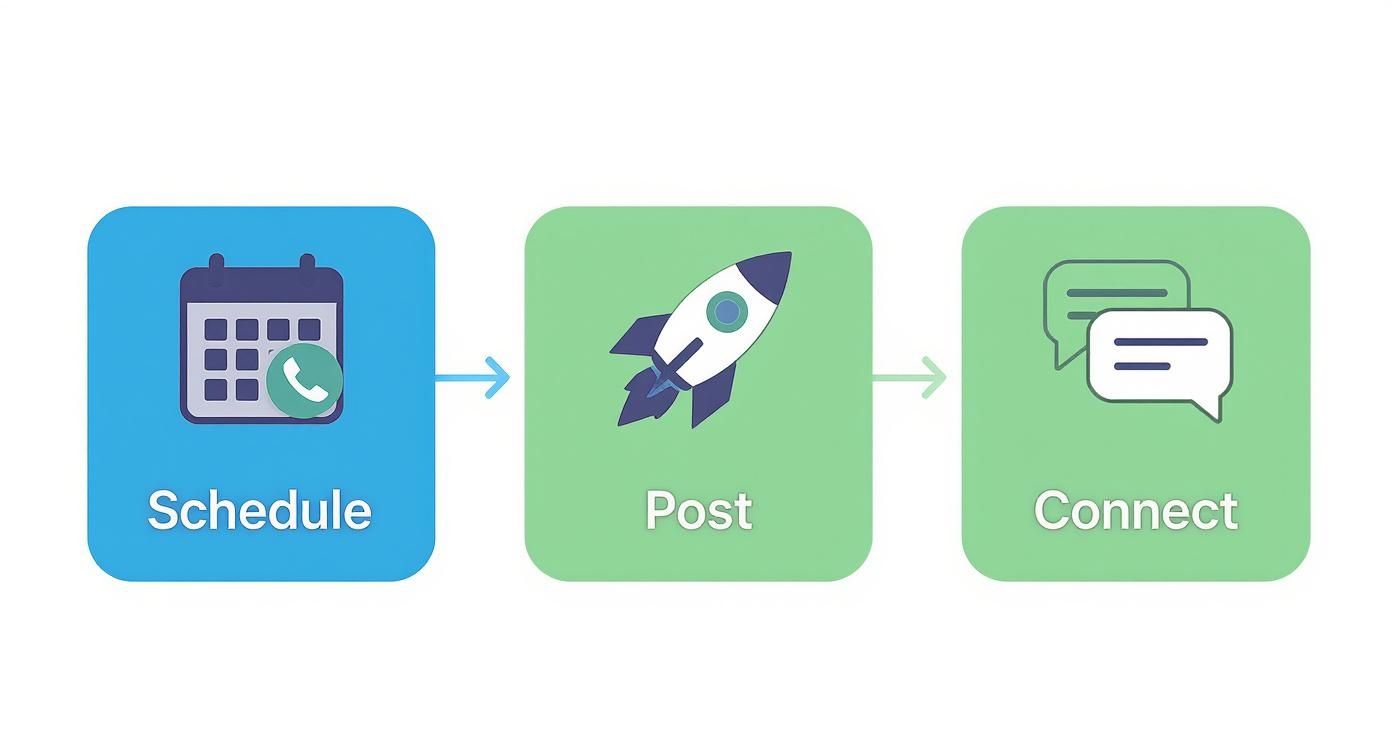
This just shows how scheduling, posting, and connecting with your audience feed into each other, creating a powerful loop.
Set Up Team Workflows and Approvals
If you’re working with a team, an approval process is absolutely essential. Most serious automation tools let you set up different roles and permissions. A junior team member might be able to draft and schedule posts, but a manager has to give the final nod before anything is published. This simple step is a lifesaver for catching errors, keeping your brand voice consistent, and making sure everyone is on the same page.
It’s also worth looking into direct integrations with your content management system. For instance, if you’re running a blog, plenty of tools let you automate social media posts with WordPress. This means your new articles can be shared across your social channels the second they go live.
This kind of strategic thinking is crucial, especially in active markets like Germany. With 93.5% of the population online and a staggering 65.5 million active social media users, businesses have to be incredibly efficient to manage their presence on platforms like Facebook and Twitter. Automation is what makes consistent engagement across such a massive audience possible.
My two cents: A great automation workflow is more than just a scheduler. It’s a complete system that includes smart content planning, recurring post formats, and a clear approval process to keep quality high and your brand consistent as you scale.
By following these steps, you can turn the concept of automation from a nice idea into a well-oiled machine that truly drives your social media forward.
Level Up Your Automation with AI-Powered Content and Scheduling
Once you’ve got a basic scheduler running, the real fun begins. Modern automation tools are no longer just about queuing up posts; they're packed with artificial intelligence that can act as a creative co-pilot. This is where you can auto post to social media with far more intelligence, turning a simple workflow into a powerful content engine.
We’ve all been there—staring at a blank content calendar, waiting for inspiration to strike. AI completely changes that. It can brainstorm a constant flow of relevant ideas based on your industry, recent news, or even your past top-performing content. This shifts your job from a daily grind to a quick, strategic review process. For a deeper dive into this, exploring tools for AI social media content creation can really open your eyes to what’s possible.
Crafting High-Quality Content with AI Prompts
The secret to getting great content from AI lies in the prompts you give it. Think of it less like a magic button and more like briefing a junior copywriter. The more context you provide—your audience, your brand's voice, the goal of the post—the better the output will be.
For example, you could go from a vague idea to a polished draft in minutes.
- For a new product: Instead of just saying "write a post about our new coffee pods," try: "Draft an upbeat Instagram post announcing our new eco-friendly coffee pods. Highlight that they're fully compostable and work with major brewers. End with a question to encourage comments and suggest 3 relevant hashtags."
- For a thought leadership piece: "Generate an outline for a LinkedIn article about the future of remote work for small businesses. Structure it around three main points: technology's role, building company culture remotely, and promoting employee wellbeing. Suggest a compelling hook for the intro."
These specific instructions give the AI clear direction. With a solid AI social media post generator, you can turn prompts like these into ready-to-use copy in seconds. We've actually put together a full guide on this, which you can check out to master the art of AI content generation and never run out of ideas again.
A few well-crafted prompts can fill your content calendar for weeks. Here are some practical examples to get you started.
AI Prompt Examples for Social Media Content
| Platform | Content Goal | Example AI Prompt |
|---|---|---|
| Thought Leadership | "Write a 3-paragraph LinkedIn post about the importance of psychological safety in hybrid teams. Start with a relatable anecdote, explain the business benefits, and end with a question for my network." | |
| Promote a Sale | "Create a short, punchy Instagram caption for a 48-hour flash sale on our winter collection. Use emojis, mention the 25% discount, and create a sense of urgency. Include hashtags like #FlashSale and #LimitedTimeOffer." | |
| X (Twitter) | Drive Traffic to Blog | "Draft three different tweet variations to promote our new blog post titled '10 Ways to Boost Productivity.' Each tweet should highlight a different tip from the article and include a call-to-action to read more." |
| Community Engagement | "Write a friendly Facebook post asking our community to share their favourite weekend hobby. Frame it around work-life balance and encourage them to post a photo in the comments. Keep the tone conversational and warm." |
As you can see, the more specific your request, the more tailored the result. Experiment with different tones and formats to find what works best for your brand.
Finding the Perfect Time to Post
Forget the generic advice you’ve read a hundred times, like "post on Tuesdays at 10 AM." That’s a one-size-fits-all approach that ignores your unique audience. AI-driven schedulers take the guesswork out of timing by analysing your own performance data.
They dig into your analytics to find the precise moments when your followers are most active and likely to engage. The system learns which posts get the most clicks, comments, and shares, then builds a dynamic schedule that gets smarter over time. This ensures your best content gets maximum visibility, every single time.
This data-first approach is becoming standard practice. In Germany, for instance, 46% of marketers are now using AI in their social media strategies, with intelligent scheduling being a key application.
By pairing AI-generated content with AI-optimised scheduling, you’re creating more than just an automated workflow. You're building an intelligent system that constantly learns and refines your social media strategy for you.
Don’t Just Automate – Adapt Your Content for Each Platform
Here’s the biggest mistake I see people make when they start automating their social media: they treat every platform as if it’s the same. This “one-size-fits-all” habit is the fastest way to get abysmal engagement and make your brand feel completely robotic.
To get real results when you auto post to social media, you have to play by the rules of each individual platform. It’s about respecting the unique culture and technical quirks of each network.
What resonates on LinkedIn will almost certainly fall flat on Instagram. A killer post for X might look totally out of place on a Facebook feed. The real power of automation isn't just scheduling; it's using your tool's customisation features to adapt a single core idea for each audience, making sure it feels native wherever it lands.
This goes way beyond just posting the same text and image everywhere. It’s about tweaking the tone of voice, resizing your images, and using platform-specific features like hashtags and mentions in a way that makes sense.
How to Tweak Your Message for the Big Players
Let's get practical. Imagine you’ve just published a brilliant blog post on productivity tips. You wouldn't just copy and paste the link everywhere, would you? Of course not. You’d tailor the introduction to grab attention on each channel.
Here’s how that one piece of content could be adapted:
- LinkedIn: The vibe here is professional and value-first. I’d start with a punchy statistic or a question about workplace efficiency to hook my professional network. The caption would focus squarely on the business benefits and career advantages of the tips.
- Instagram: It’s a visual world over there. I'd create a sharp-looking carousel, with each slide highlighting a single, digestible tip. The caption would be more personal and engaging, maybe asking followers to drop their own favourite productivity hack in the comments.
- X (formerly Twitter): Brevity is everything. You need to pull out the single most surprising or actionable tip from the article and frame it as a short, snappy tweet. I’d add a couple of relevant hashtags like #Productivity or #WorkSmarter to get it seen.
This simple act of customising each post makes your content feel deliberate and valuable, not like it was just spat out by a machine.
A smart automation strategy isn't just about saving time. It's about reinvesting that saved time into crafting higher-quality, platform-specific content that actually connects with people.
Your Pre-Flight Checklist for Platform Customisation
Before you hit “schedule” on your next automated campaign, run through this quick checklist. I find it’s a lifesaver for making sure every post is perfectly dialled-in for its destination, which is absolutely critical for getting good engagement.
Content & Tone
- Voice: Is the tone right for the platform? Think professional for LinkedIn, but conversational and fun for Facebook or Instagram.
- Length: Is your copy short and sweet for X, but more in-depth for a LinkedIn article? Respect the character limits and user expectations.
- Call-to-Action (CTA): Is your CTA clear and native to the platform? A "Link in bio" for Instagram is perfect, but you’d use a direct link on X or Facebook.
Visuals & Formatting
- Image Dimensions: Have you resized your images correctly for each network? Nothing screams "lazy automation" like an awkwardly cropped photo. Use a square for the Instagram grid and a landscape format for X.
- Hashtags: Are you using the right number of hashtags? My rule of thumb is 3-5 for LinkedIn, just 1-2 for X, and you can go up to 30 for Instagram if they’re relevant.
- Mentions: Is there anyone you can tag? Think about partners, happy customers, or industry influencers who might give your post a boost.
When you treat each platform as its own unique channel, your automation workflow stops being a simple broadcaster and becomes a sophisticated communication engine. This thoughtful approach is what separates generic auto-posting from a social media strategy that actually works.
Measuring Performance to Refine Your Strategy
Flicking the switch on your automation feels great, but that’s really just the starting line. The single biggest mistake I see people make is treating it as a "set it and forget it" machine. If you truly want to get results when you auto post to social media, you have to close the loop—track what's working and use that data to make better decisions.
This isn’t about drowning in vanity metrics. It’s about zeroing in on the numbers that actually reveal if your strategy is hitting the mark. Thankfully, most automation tools come with a built-in analytics dashboard that makes this part straightforward.
Identifying Your Key Metrics
Before you even glance at a graph, you need to know what you’re looking for. It's easy to get fixated on follower counts, but your focus should be on metrics that signal a genuine connection with your audience and a real impact on your business. These are the numbers that prove your automated content is resonating.
I always recommend starting with these core indicators:
- Engagement Rate: This is the big one. It bundles up likes, comments, shares, and saves, showing you what percentage of your audience is actively interacting. A high rate is a fantastic sign that your content is landing well.
- Reach and Impressions: These two tell you how many unique people saw your post (reach) and the total number of times it was viewed overall (impressions). It’s your best measure of how visible your content actually is.
- Click-Through Rate (CTR): If you're sharing links, this is your money metric. It shows you precisely how many people clicked through to your site or landing page, making it essential for tracking traffic and conversions.
Getting your head around the nuances here is key. For a deeper dive, our guide on the most important social media KPIs you should be tracking is a great resource.
The goal of measuring performance isn't just to look back at what worked. It’s about building a feedback loop that makes every single post you schedule from here on out smarter than the last.
Turning Insights into Action
Data is completely useless if you don't act on it. Think of your analytics dashboard as a treasure map for finding patterns. Hunt for the content formats that consistently pull in the highest engagement. Is it video? Carousels? Maybe simple text posts with a provocative question?
Once you spot a winner, lean into it. If you discover that short, snappy video tutorials are getting all the love, then it's time to make them a regular fixture in your content plan. This data-driven approach takes all the guesswork out of your strategy.
Pay just as much attention to your posting times. Your dashboard will likely show you the exact days and hours your audience is online and scrolling. Use that intel to tweak your schedule for maximum impact, making sure your best content lands right when people are there to see it.
I find that a simple monthly review keeps everything sharp. In that meeting or solo session, ask these three questions:
- What was our top-performing post? Dig into why it worked. Was it the topic, the format, the caption, or the time of day?
- Which platform drove the most engagement? This might tell you where to focus more of your energy next month.
- What content completely flopped? Be honest and ruthless. Cut what isn’t working to make more room for what is.
It’s this continuous cycle of posting, measuring, and refining that turns a simple automation workflow into a genuine growth engine for your brand.
Your Top Auto-Posting Questions, Answered
Jumping into social media automation can feel like a huge leap. It’s totally normal to have a few questions swirling around. People often worry about their posts losing that human spark or get stuck wondering which tool is the right one.
Let’s tackle some of those common worries head-on, so you can feel good about setting up your automated workflow.
The biggest fear I hear? Sounding like a robot. "Will my followers know it's not really me?" Honestly, they won't—as long as you do it thoughtfully. The whole point of automation isn't to replace you; it's to handle the consistent, background scheduling so you can show up for the real-time stuff. You're still the one replying to DMs, jumping into comment threads, and reacting to what's happening right now.
Here's how I think about it: automation is for scheduling your core, value-packed content. This buys you back precious time to focus on the spontaneous, personal interactions that actually build a community. It’s a tool to help you be more human, not less.
Will My Account Get Penalised for Auto-Posting?
This is a persistent myth, but the short answer is no. Social media platforms do not penalise accounts for using legitimate automation tools. Why? Because reputable services like Buffer, Agorapulse, or our own platform are built using the official APIs—the approved, above-board channels provided by the networks themselves.
Where you can get into hot water is with dodgy bots or services that violate platform rules. Think auto-following, spamming generic comments, or other shady tactics. As long as you stick with well-known, trusted tools, your account is perfectly safe.
How Do I Choose the Best Auto-Posting Tool?
There's no magic "best" tool for everyone. The right choice really comes down to what you need and what your budget looks like. A solo creator just starting out has vastly different needs than a marketing agency juggling a dozen client accounts.
My best advice is to first map out your must-haves.
- Essential Platforms: Which social networks are non-negotiable for your brand?
- Must-Have Features: Do you need in-depth analytics, team approval workflows, or AI to help write posts?
- Budget: What's a realistic monthly or annual spend for your business right now?
With that list in hand, you can start narrowing things down. Nearly every good tool out there offers a free trial, and I can't recommend this enough. It’s the only way to truly get a feel for the dashboard and see if it clicks with how you work.
Finally, a question I get all the time: how far ahead should I schedule posts? For most businesses, the sweet spot is one to two weeks out. This gives you a solid content buffer without making you so rigid you can't jump on a trending topic. Of course, for big campaigns or evergreen content pillars, planning a month or more in advance is absolutely fine. It's all about finding a rhythm that delivers consistency but leaves room for spontaneity.
Ready to make your social media work for you and get your time back? Trustypost is your AI-powered partner, creating on-brand content ideas and scheduling them automatically. See how easy it is to stay consistent and visible—start your 7-day free trial today.