
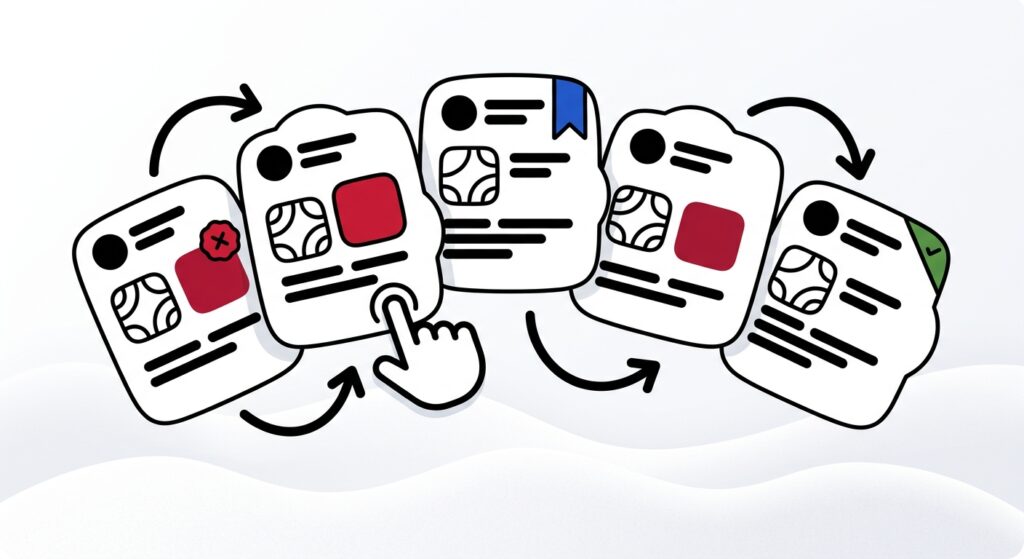
Facebook post templates are reusable sentence structures with bracketed placeholders you can fill in, customize, and publish in minutes. The 15 formats below are organized by business goal, engagement, traffic, authority, hiring, and community, so you pick a template based on what you want the post to do, not how it should look. Copy, adapt, queue.
Most pages ranking for this keyword solve a design problem: Fotor lists 2,500+ editable graphics, Kapwing and Adobe Express run libraries in the tens of thousands. Useful when you need a banner. Useless when you’re staring at the empty caption box and need words.
- Facebook still moves the needle in 2026, Meta reported 3.56B Family daily active people for March 2026, up 4% year over year.
- Consumers got pickier, 66% say they’re more selective.
- The average Facebook account ships 34 posts per month at 3.8% median engagement, but small accounts under 1K followers hit 8.8% with just 19 posts.
- Page posts can be queued in Meta Business Suite between 20 minutes and 29 days ahead.
How to use these Facebook post templates
Pick the template by goal first, then fill the placeholders with one specific detail from your business, a real customer, a real number, a real opinion. Generic placeholders produce generic posts, which is why most “copy-paste templates” floating around in 2026 read like AI slop.
Meta’s Feed ranking weighs interactions, post type, comments, reactions, shares, and recency, so templates that invite a real reply outperform templates that ask for a thumbs-up. And Meta’s 2025 spam crackdown took down over 100M fake Pages, which is the backdrop for why engagement bait (“comment YES for the link”) tanks reach in 2026.
The fill rule: Every bracket gets a concrete noun, number, or named thing. “[specific customer problem]” becomes “trying to forecast cash flow with three different spreadsheets.” If the filled version still sounds like it could belong to any business in your category, rewrite it.
Goal-to-template decision table
Before the templates themselves, here’s the mapping. Choose the column that matches what you need the post to produce, then jump to the matching templates below.
| Business goal | What it produces | Template type | Templates |
|---|---|---|---|
| Engagement | Comments, reactions, saves | Question, poll, hot take | 1, 2, 3 |
| Traffic | Link clicks, page visits | Teaser, mini-case, resource drop | 4, 5, 6 |
| Authority | Trust, expert positioning | Lesson, contrarian, framework | 7, 8, 9 |
| Hiring | Applications, referrals | Team story, role pitch, culture proof | 10, 11, 12 |
| Community | Replies, recommendations, shares | Local prompt, shared-experience, behind-the-scenes | 13, 14, 15 |
Engagement templates (1–3)
Engagement templates exist to start replies that aren’t bait. Sprout’s 2026 Facebook research shows 52% of consumers name Facebook their top network for building community, which means specific, opinionated questions land better than generic “what do you think?” prompts.
Template 1, The specific question:
If you had to pick between [option A from your industry] and [option B from your industry] for [specific situation], which would you choose and why? I’ll go first: [your honest answer + one sentence of reasoning].
Template 2, The two-option poll-as-post:
Quick one for [your audience]:
- 👍 if you handle [task X] yourself.
- ❤️ if you outsource it.
Curious what the split looks like in [your industry/city].
Template 3, The hot take with an out:
Unpopular opinion: [specific claim about your industry that you actually believe]. The usual argument against it is [counterpoint]. I still think [your stance] because [one concrete reason from your experience]. Where do you land?
Traffic templates (4–6)
Traffic templates use the post to sell the click, not the product. The job of the caption is to make the next tap feel inevitable, which means teasing the specific value behind the link instead of describing it.
Template 4, The teaser open loop:
We just published [specific resource] for [specific audience]. The part that surprised us most: [one concrete finding, number, or counterintuitive insight]. Full breakdown 👉 [link]
Template 5, The mini-case with a CTA:
[Client/customer name or category] came to us with [specific problem]. In [timeframe], we [specific action] and the result was [specific outcome with a number]. Wrote up exactly how we did it 👉 [link]
Template 6, The resource drop:
Free [template/checklist/calculator] for anyone running [specific process]. It covers [3 concrete things it includes], and you can use it without signing up for anything. Grab it here 👉 [link]
One quick warning on traffic posts: Meta flags long distracting captions, excessive hashtags, and unrelated copy as reach-suppression triggers. Keep the link teaser tight and on-topic.
Authority templates (7–9)
Authority templates use templates to surface expertise, not generic thought leadership. Content Marketing Institute’s 2026 research is blunt about this: if fewer than 5% of your specialized employees are involved, it isn’t really a thought-leadership program — it’s marketing pretending to be expertise.
Template 7, The lesson from a mistake:
We used to [previous approach]. It worked until [specific moment it broke]. What we do now: [new approach in one sentence]. The shift saved us [specific resource: time, money, headcount, errors].
Template 8, The contrarian framework:
Most [industry advice] says [common belief]. After [N years / N projects / N clients], here’s what I actually see:
- [observation]
- [observation]
- [observation]
Which is why we [your alternative approach].
Template 9, The decision rule:
When [specific situation] happens, the question isn’t “[wrong question most people ask].” It’s “[the better question].” Because [one sentence on why the reframe matters]. Try it next time you’re stuck on [related decision].
Hiring templates (10–12)
Hiring templates need to feel like a real person wrote them, not a job board. Specificity about the role, the team, and the trade-offs converts better than corporate culture lines.
Template 10, The role pitch:
We’re hiring a [role] to [specific outcome they’ll own]. You’ll spend your week on: [3 concrete responsibilities]. You’ll like this if [trait]. You won’t like it if [honest counter-trait]. Apply or tag someone: [link]
Template 11, The team-member spotlight:
[Name] joined us [timeframe] ago as our [role]. Since then they’ve [specific accomplishment with a number or named project]. Favorite part of working with them: [one specific, non-generic thing]. We’re hiring more people like [Name] 👉 [link]
Template 12, The culture proof point:
Small thing that says a lot about how we work: [specific habit, ritual, or policy]. It came from [origin story in one sentence]. If that sounds like a team you’d fit, we’re open for [role] 👉 [link]
Community templates (13–15)
Community templates lean into what Facebook is actually good at in 2026. Sprout reports 45% of consumers seek customer service on Facebook and roughly 40% use it for product discovery — both of which thrive on recommendation-style threads.
Template 13, The local recommendation prompt:
Best [specific thing: coffee, accountant, dog walker, coworking spot] in [city/neighborhood]? Not asking for a friend. Asking for me. Tag your favorite below 👇
Template 14, The shared-experience pull:
If you’ve ever [specific experience your audience knows], you already know [the unspoken thing]. For us it was [your version of the story in two sentences]. What was yours?
Template 15, The behind-the-scenes:
What [your team / your work] actually looks like on a [day of week] morning: [one specific scene, two sentences max, ideally with a photo]. Not glamorous. Still our favorite part.
Adapting templates for B2B, local, and SaaS
The fifteen templates above are the chassis. The bracket-fills shift by business type, and the differences matter more than the templates themselves.
For B2B service providers and consultants, weight your mix toward authority (7–9) and traffic (4–6). The lesson-from-a-mistake template (7) and the decision rule (9) are the highest-leverage formats because they let a real SME — not a marketing team — surface a specific point of view. Pair this with the pillar method for picking 3–5 repeatable angles so the same templates don’t feel repetitive across a month.
For local businesses, the community templates (13–15) carry the most weight. The local recommendation prompt (13) does two jobs at once: it surfaces your Page in friends-of-friends feeds, and it builds the kind of comment thread Meta’s ranking system rewards with reach. Local hiring posts (10) also tend to outperform job-board listings because the audience already knows the neighborhood context.
For SaaS teams, lean on authority (8, 9) for product-led thought leadership and traffic (5, 6) for feature education or onboarding resources. The mini-case template (5) is the workhorse here — a customer outcome with a real number plus a link to the deeper write-up. Avoid the “we just shipped” announcement framing; it reads internal, not customer-facing.
Operationalizing the swipe file: copy, customize, queue
A template only saves time if you batch it into a workflow. Meta Business Suite lets you schedule Page posts up to 29 days in advance, so the realistic cadence for small operators is: pick 4–5 templates on Monday, fill the brackets with this week’s specifics, queue them, then spend the rest of the week replying to comments instead of writing from scratch.
Buffer’s benchmark across 52M posts shows the typical Facebook account posts 34 times per month, but accounts under 1K followers post 19 times and still hit 8.8% engagement. Translation: more posts isn’t the answer — better-targeted templates published consistently is. If you want the full weekly rhythm, the 90-minute system that turns one block into five posts pairs cleanly with the templates above.
For teams that want a draft to start from instead of an empty bracket, an AI post generator can produce a first pass in your brand voice — but the bracket-fill rule still applies. AI is a drafting accelerant, not a substitute for the specific customer name, the specific number, the specific opinion that makes the post sound like you wrote it.
What we’d do at Trustypost: Pick three templates that match this week’s goals, fill the brackets with one specific business detail each, run them through your brand voice, and queue all three before lunch on Monday. Then leave the rest of the week for replies. That’s the entire system.
Wrapping the swipe file into a system
Fifteen templates only matter if you treat them as a rotation, not a checklist. The pattern that works in 2026: one engagement post, one authority post, one community post per week, with traffic and hiring slotted in when there’s a real link or a real role. Five filled brackets, queued on Monday, beats fifty empty captions saved in a swipe doc.
The specifics you fill in are the moat. Anyone can copy a template. Almost no one will copy your specific client story, your specific decision rule, your specific Tuesday-morning behind-the-scenes. That’s where the post stops sounding like a template and starts sounding like you.
If you want the queueing layer to run on autopilot while keeping the brand voice intact, that’s the part Trustypost handles: analyze the brand once, draft in voice from the templates, schedule across platforms without the Monday-morning scramble.
FAQ
What are Facebook post templates?
Facebook post templates are reusable sentence structures with bracketed placeholders you fill in with your own specifics. They differ from visual templates (which solve a design problem) and from content ideas (which only suggest topics). A real template gives you the exact sentence shape, so all you add is the customer name, the number, or the opinion.
How many times per week should a small business post on Facebook?
Four to five posts per week is the realistic target for accounts under 5K followers, based on Buffer’s benchmark of 19 monthly posts for 0–1K accounts and 23 for 1–5K. Posting more rarely beats posting consistently with stronger templates. The average across all account sizes is 34 posts per month, but engagement rates drop as frequency climbs.
Do Facebook post templates still work in 2026?
Yes, but only when the filled-in version sounds specific to your business. Sprout’s Q1 2026 data shows 66% of consumers are more selective about what they engage with, and 83% see AI slop at least sometimes. Templates work as scaffolding; the specifics you add to the brackets are what makes the post actually land.
Which template type drives the most engagement on Facebook?
Specific-question and hot-take templates tend to drive the most comments because Meta’s Feed ranking weighs interactions, comments, reactions, and shares heavily. Generic “what do you think?” prompts underperform. The strongest engagement templates name a concrete trade-off in your industry and ask the reader to pick a side with a reason.
Can I use AI to fill these templates?
Yes, with one rule: AI drafts the structure, you supply the specifics. The bracket-fills — real customer names, real numbers, real opinions — should come from your business, not from a generative guess. Sprout’s 2026 research shows consumers want brands to prioritize human-generated content, so use AI as a drafting accelerant and review every post before it queues.
How far in advance can I schedule Facebook posts?
Meta Business Suite allows scheduling Page posts between 20 minutes and 29 days into the future. That window is what makes a weekly batching workflow practical: pick your templates Monday, fill the brackets, queue the week, and spend the rest of your time replying to comments instead of drafting from scratch.

