
Instagram Stories are a powerful channel for engaging your audience, but creating consistently beautiful and on-brand content can be a significant drain on your time. This is where a high-quality Instagram story template becomes an indispensable tool. It provides a professional design foundation, saving you hours of work while ensuring a cohesive look that captures attention instantly and reinforces your brand identity. A well-chosen template allows you to focus on your message, not on complex design software.
This guide dives straight into the top seven resources for finding both free and premium templates in 2025. We will explore everything from easy-to-use apps like Mojo to vast creative marketplaces such as Envato Elements and Creative Market. We’ll delve into the specific use cases for each, helping you select the perfect option whether you're a small business owner, a marketing professional managing multiple accounts, or a creator looking to stand out. For a broader perspective on templates across various platforms, you might also explore the best social media video templates available.
Each entry in our list includes screenshots, direct links, and actionable tips to help you customise these templates to perfectly match your brand's unique voice and aesthetic. Let's transform your Story game from haphazard to unmissable.
1. Canva
Canva stands as a powerhouse in the design world, particularly for social media managers and creators who need to produce high-quality content quickly. Its massive library of professionally designed templates is its primary draw, offering thousands of options specifically sized for Instagram Stories (1080×1920 pixels). The platform’s drag-and-drop interface makes it incredibly accessible, allowing users without formal design training to create polished, on-brand visuals in minutes.
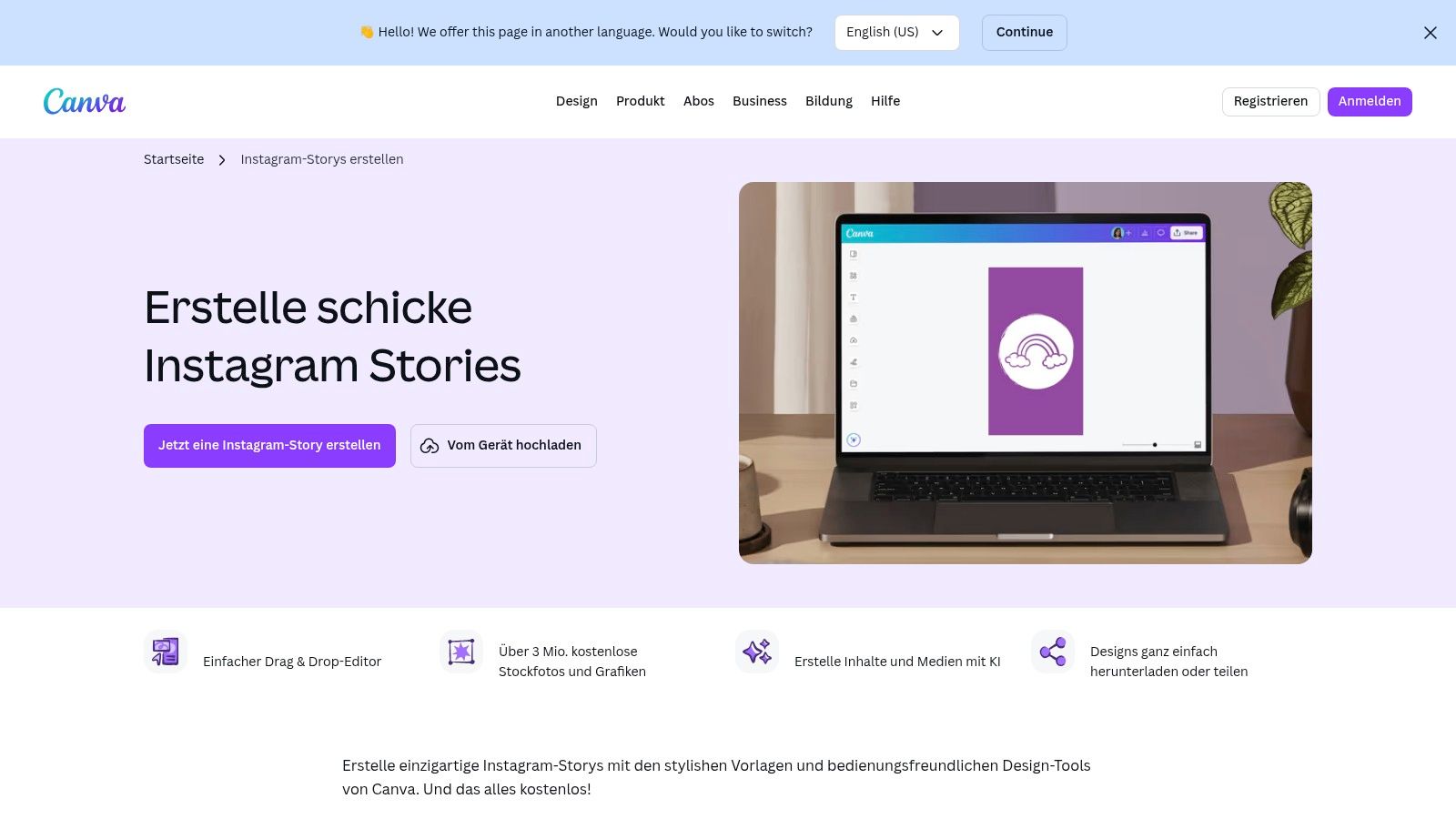
The platform shines with its features tailored for brand consistency. The Brand Kit (available on Pro and Teams plans) lets you pre-set your brand's colours, fonts, and logos, ensuring every story aligns with your visual identity. For those utilizing Canva for story creation, it's also worth noting that the platform offers various design assets, including specific Canva mockup bundles for product displays which are perfect for e-commerce businesses.
Key Features and User Experience
Canva’s usability extends across its browser version and mobile apps, providing a seamless experience for designing on the go. The platform is continuously updated with new features, including the "Magic Studio" AI tools that can help with copywriting, image generation, and even one-click resizing to repurpose your Story for other formats like Reels or feed posts. For even more creative ideas, you can explore various ways to find Instagram story inspiration to make your Canva designs truly pop.
Here’s a quick breakdown of what makes Canva a top choice for creating an effective Instagram story template:
- Ease of Use: An intuitive, user-friendly interface suitable for all skill levels.
- Vast Template Library: Thousands of free and premium templates for every niche.
- Brand Consistency Tools: Features like the Brand Kit help maintain a cohesive look.
- Collaboration: Teams can work on designs simultaneously, leaving comments and edits in real-time.
While the free version is robust, accessing premium stock photos, advanced tools like the background remover, and the full Brand Kit requires a Canva Pro or Canva for Teams subscription.
Website: https://www.canva.com/de_de/erstellen/instagram-stories/
2. Adobe Express
Adobe Express, formerly Adobe Spark, is the tech giant’s intuitive, all-in-one design tool geared towards creators who need professional results without the steep learning curve of its more complex software like Photoshop or Illustrator. It offers a vast and growing library of free and premium templates perfectly sized for Instagram Stories. The platform leverages Adobe's powerful ecosystem, providing access to Adobe Stock photos and Adobe Fonts, making it an excellent choice for creating a high-quality, on-brand Instagram story template.
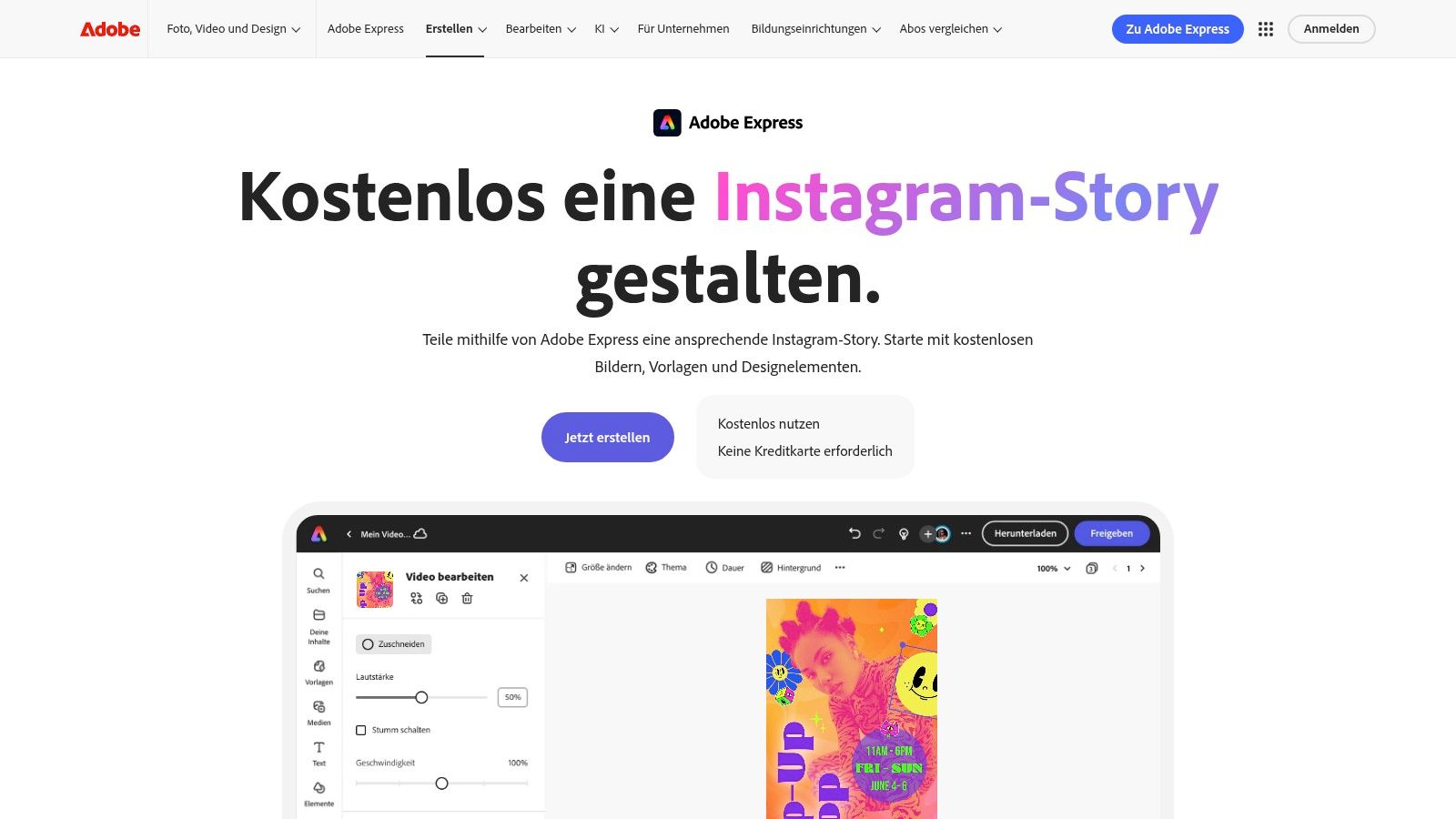
What sets Adobe Express apart is its seamless integration of powerful features within an accessible interface. Users can create multi-page stories, add animations to text and elements, and even access brand kit functionality to maintain visual consistency. The editor feels robust yet straightforward, empowering users to produce dynamic and engaging content that stands out in a crowded feed.
Key Features and User Experience
Adobe Express is available on both desktop browsers and mobile apps, ensuring a fluid workflow whether you are at your desk or designing on the move. The platform is packed with AI-powered features from Adobe Firefly, such as "Text to Template" and generative fill, which help accelerate the creative process. Its workflow is designed for social media, allowing users to not only create but also schedule their content directly to their Instagram account.
Here’s a quick breakdown of what makes Adobe Express a top choice for story templates:
- Ease of Use: A clean, intuitive interface that simplifies the design process for beginners and professionals alike.
- Vast Template Library: Thousands of professionally designed templates, many of which are available on the free plan.
- Integrated Adobe Assets: Access to a curated collection of Adobe Stock images and the entire Adobe Fonts library.
- Multi-Page and Animation: Easily create cohesive, multi-slide stories and add eye-catching animations with a single click.
While the free version of Adobe Express is incredibly powerful, unlocking premium templates, the full Adobe Stock photo collection, and advanced features like the brand kit requires a premium subscription.
Website: https://www.adobe.com/de/express/create/story/instagram
3. Envato Elements
Envato Elements operates on a different model, offering an "all-you-can-eat" subscription service for creative assets. Instead of purchasing templates individually, a single subscription grants unlimited downloads from a library of over 26 million items. This makes it a goldmine for agencies, designers, and content creators who need a constant supply of fresh, high-quality resources, including a vast selection of Instagram Story template packs.
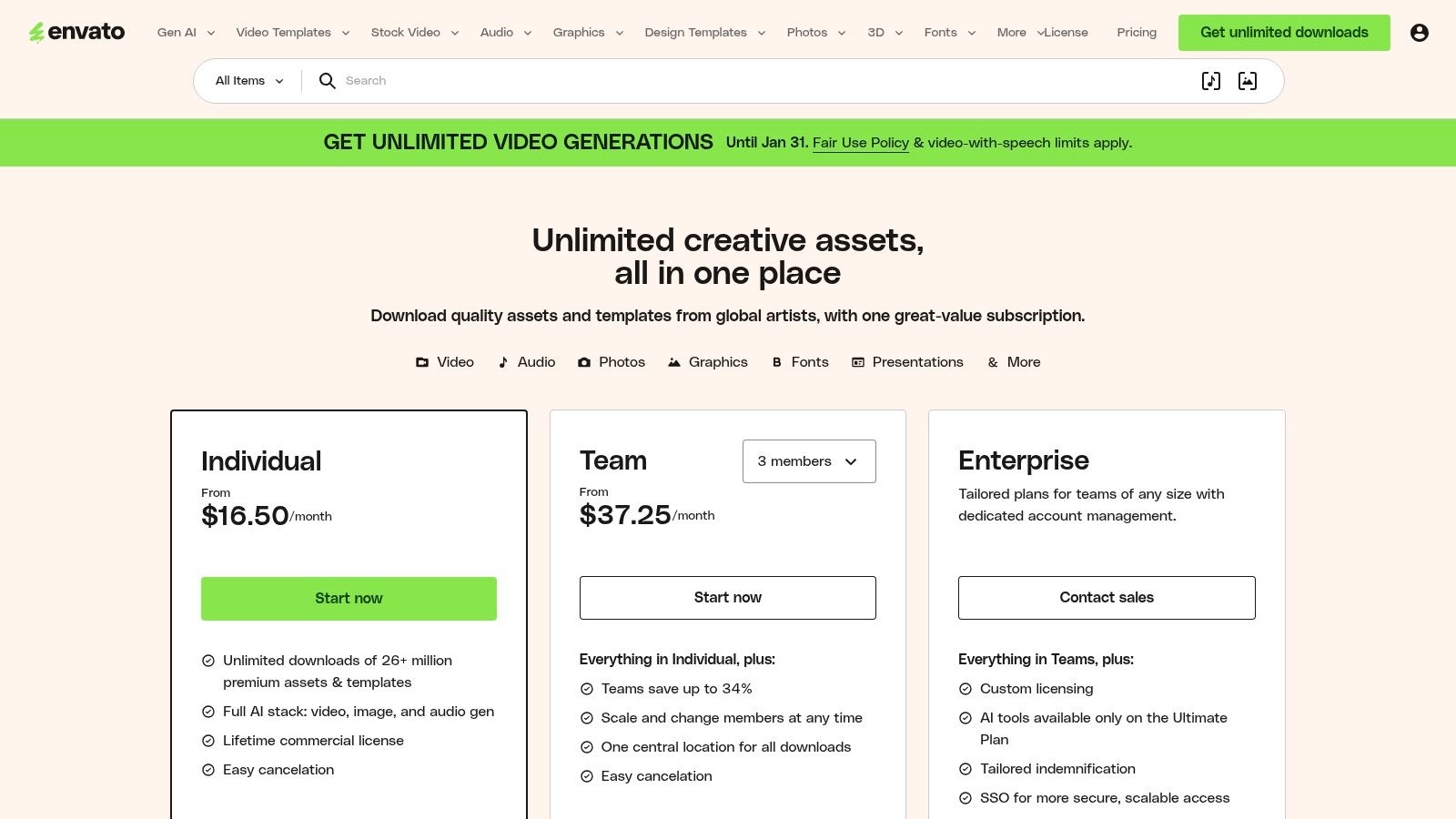
The platform is geared towards users with professional design software like Adobe Photoshop, Illustrator, or After Effects. Templates are often provided as multi-layered PSD or AI files, giving you complete creative control over every element. Beyond static designs, Envato Elements excels in offering thousands of animated and video-based Instagram Story templates, perfect for creating dynamic, attention-grabbing content that stands out. The simple commercial license covers all downloads, streamlining the process for business use.
Key Features and User Experience
The primary advantage of Envato Elements is its sheer value for high-volume creators. The library extends far beyond social media templates to include stock video, royalty-free music, sound effects, fonts, and presentation themes. This comprehensive collection allows you to build a cohesive and professional-looking brand across all touchpoints. Integrating these assets into a well-defined plan is crucial; you can learn more about how they fit into a broader social media content strategy to maximise their impact.
Here’s a quick breakdown of what makes Envato Elements a top choice for creating a professional Instagram story template:
- Unlimited Downloads: A predictable subscription cost provides access to millions of assets.
- Professional-Grade Templates: High-quality files (PSD, AI, AE) offer maximum customisation.
- Huge Variety: Extensive collection of static, animated, and video story templates for every niche.
- Comprehensive Asset Library: Includes fonts, music, and stock photos to complement your designs.
The main consideration is that you need compatible design software and the skills to use it. While the subscription model is cost-effective for frequent users, it may not be suitable for those who only need a few templates.
Website: https://elements.envato.com/pricing
4. Creative Market
Creative Market operates as a vast digital marketplace, connecting independent creators and designers with businesses and individuals seeking high-quality assets. Instead of a subscription-based model, it offers a massive collection of Instagram Story template packs sold individually. This is ideal for those who need a specific aesthetic for a campaign or brand launch without committing to a recurring fee, allowing for one-off purchases from a diverse pool of global talent.
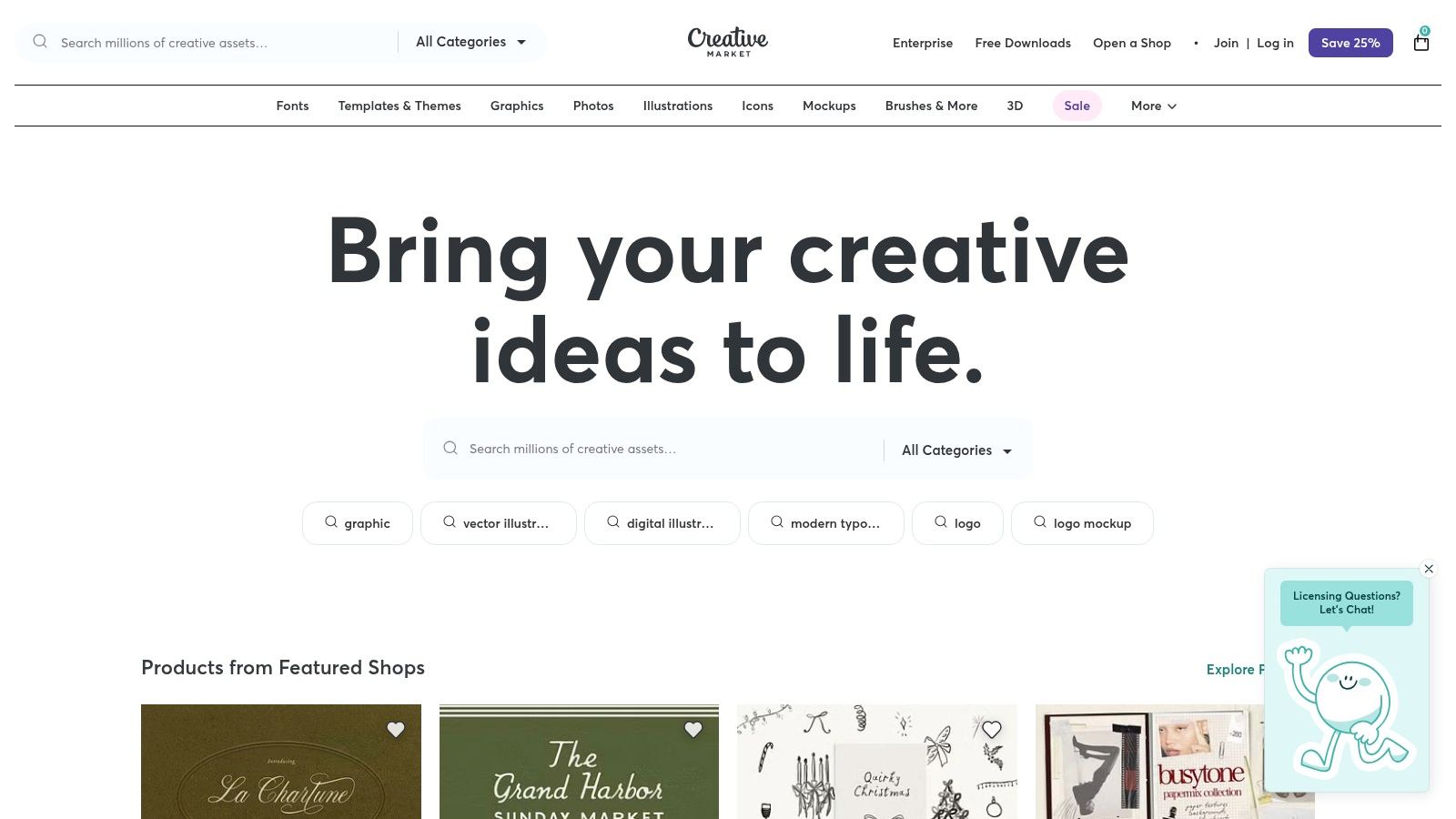
The platform’s strength lies in its sheer variety and the unique artistic styles you won't find on mainstream template sites. Templates are available for various software, including Adobe Photoshop, Illustrator, and Canva, giving users flexibility in their editing workflow. Each product listing provides details on compatibility, file types, and licensing, which is a crucial consideration for commercial use.
Key Features and User Experience
Navigating Creative Market is straightforward, with powerful search filters to narrow down options by price, software compatibility, and style. Since each product is created by a different seller, the quality and documentation can vary, so it is important to read reviews and check seller ratings before purchasing. The platform’s clear licensing tiers (Personal, Commercial, and Extended Commercial) simplify the process of choosing the right an instagram story template for your project’s needs.
Here’s a breakdown of what makes Creative Market a go-to resource:
- Unique Designs: Access to handcrafted templates from thousands of independent designers worldwide.
- One-Off Purchases: No subscription required; you buy what you need, when you need it.
- Transparent Licensing: Clear, tiered licensing options ensure you have the correct permissions for personal or commercial projects.
- Multi-Software Support: Find templates designed for a wide range of professional design tools beyond just Canva.
While the pay-per-product model offers great flexibility, costs can add up if you require multiple template packs. The user is responsible for vetting each product and seller, as the experience and support can differ significantly from one creator to the next.
Website: https://creativemarket.com/
5. Etsy (Germany storefront)
Etsy offers a unique alternative to template software by functioning as a vast marketplace for independent creators and small design studios. It's an ideal destination for finding a distinctive Instagram story template with a specific aesthetic that might not be available on larger platforms. The German storefront is particularly valuable for users in the region, offering thousands of DE-localised listings with pricing in Euros and VAT information clearly displayed.
The platform excels in providing niche template packs, from boho and minimalist styles to industry-specific bundles for coaches, real estate agents, or fashion brands. Most sellers offer instant digital downloads, typically providing a PDF with a direct link to a customisable template in Canva (often compatible with the free version). This allows users to support small creators while acquiring a highly stylised and often budget-friendly design asset. For creators who sell their own templates, this marketplace is also a great channel; you can explore tips on how to monetise Instagram assets and skills for more ideas.
Key Features and User Experience
Navigating Etsy is straightforward, with powerful search filters to narrow down templates by price, style, and file type. The user experience is centred on discovery, encouraging you to browse different shops to find a visual identity that perfectly matches your brand. Since you are purchasing from individual sellers, the quality and format can vary, so it's crucial to read descriptions, check reviews, and view all preview images before buying.
Here’s a quick breakdown of what makes Etsy a top choice for finding an effective Instagram story template:
- Vast Aesthetic Variety: Access thousands of unique designs from independent creators, ensuring you can find a non-generic look.
- Niche-Specific Bundles: Many sellers specialise in templates for specific industries, providing tailored layouts and content prompts.
- Budget-Friendly Options: Competition on the marketplace often leads to very affordable prices for high-quality template packs.
- Support for Small Businesses: Your purchase directly supports an independent designer or a small creative studio.
The primary consideration is that quality is not standardised across the platform. Digital downloads are also frequently non-refundable, so due diligence before purchase is essential.
Website: https://www.etsy.com/de/search?q=instagram%20story%20templates
6. VistaCreate (by Vista)
VistaCreate, formerly known as Crello, emerges as a strong and user-friendly alternative in the online design space, particularly for creators seeking a different aesthetic for their Instagram Story template. Much like its competitors, it offers a vast and diverse library of templates perfectly sized for Instagram Stories, including both static and animated options. Its intuitive drag-and-drop editor makes it highly accessible for small business owners and solopreneurs who need professional-looking content without a steep learning curve.
The platform distinguishes itself with a robust collection of animated templates and video story formats, allowing users to create engaging motion graphics without needing separate video editing software. This focus on movement is a significant advantage for capturing audience attention in the fast-paced Story feed. The ability to apply element-level animations provides granular control, enabling creators to bring individual text boxes, graphics, or images to life with just a few clicks.
Key Features and User Experience
VistaCreate provides a seamless design experience across its web platform and mobile apps, with features like autosave ensuring work is never lost. The interface is clean and straightforward, making it easy to find templates, customise elements, and export designs in various formats like JPG, PNG, MP4, or GIF. The free Starter plan is quite generous, offering access to thousands of templates and a decent library of creative assets.
Here’s a quick breakdown of what makes VistaCreate a compelling choice for crafting your next Instagram story template:
- Strong Animation Focus: A standout library of animated templates and video-centric features.
- Intuitive Interface: A user-friendly, drag-and-drop editor suitable for beginners.
- Generous Free Plan: Provides substantial access to templates and design elements without an initial investment.
- Cross-Platform Sync: Design seamlessly between desktop and mobile applications.
While the free version is powerful, upgrading to the Pro plan is necessary to unlock the full asset library, features like the one-click background remover and brand kit, and the ability to resize designs for other social media platforms.
Website: https://create.vista.com
7. Mojo (mobile app)
Mojo is a mobile-first powerhouse designed for creating dynamic, animated Instagram Stories and Reels directly from your phone. It stands out by focusing on motion graphics and trend-driven video content, making it incredibly easy for creators and brands to produce professional-looking animated visuals without complex software. Its extensive library of templates is built around engaging text animations, fluid transitions, and eye-catching effects that capture attention instantly.
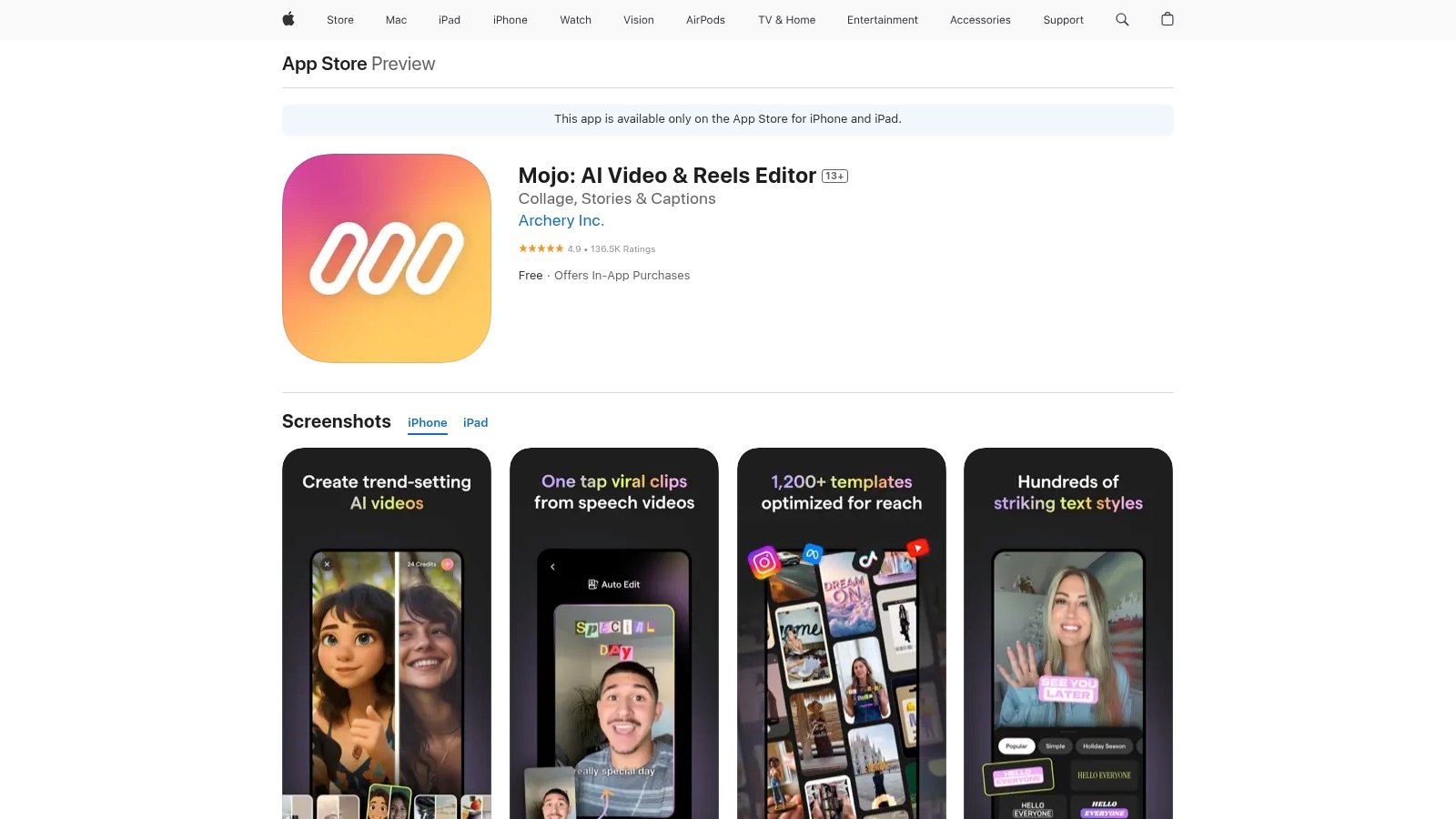
The app's primary advantage is its speed and simplicity. Users can select an instagram story template, drop in their photos or videos, and customise the text to generate a polished, high-quality video in minutes. For businesses, the Brand Kit feature allows for easy application of brand colours, fonts, and logos, ensuring that even quick, on-the-go creations remain consistent with your brand’s visual identity. Mojo also includes a library of stock media and royalty-free music to enhance your designs.
Key Features and User Experience
Mojo’s interface is built for mobile, offering an intuitive tap-and-edit experience that feels natural on a smartphone. The templates are constantly updated to reflect current social media trends, ensuring your content always feels fresh and relevant. Features like auto-captions and one-tap resizing for different social formats (like Reels or TikTok) streamline the content creation workflow significantly. The app also provides clear guidance on exporting videos at the highest quality for optimal platform performance.
Here’s a breakdown of what makes Mojo an excellent choice for animated stories:
- Animated Templates: Over 1,200 unique, animated templates with professional text effects.
- Mobile-First Design: A highly intuitive interface optimised for creating content on the go.
- Brand Consistency: The Brand Kit ensures all stories align with your brand guidelines.
- Trend-Focused: Templates are frequently updated to match current social media aesthetics and trends.
While the app is powerful, it’s important to note that interactive Instagram elements like polls or question stickers cannot be added within Mojo; they must be added in the Instagram app after uploading. Access to the full library, Brand Kit, and premium features requires a Mojo Pro subscription, managed through the App Store or Google Play.
Website: https://apps.apple.com/app/mojo-story-maker-for-instagram/id1434861974
Top 7 Instagram Story Template Platforms — Comparison
| Tool | Implementation complexity 🔄 | Resource requirements 💡 | Expected outcomes ⭐📊 | Ideal use cases ⚡ | Key advantages ⭐ |
|---|---|---|---|---|---|
| Canva | 🔄 Very low — drag‑and‑drop, browser & mobile | 💡 Low — free tier; Pro for advanced assets | ⭐ Consistent, on‑brand static/animated Stories quickly | ⚡ Fast team workflows, cross‑format resizing | ⭐ Huge template library, Brand Kit, AI helpers |
| Adobe Express | 🔄 Low — straightforward editor with presets | 💡 Low‑medium — free tier; premium for assets/features | ⭐ Professional templates with animation & sizing accuracy | ⚡ Social workflows with stock & multi‑page Stories | ⭐ Integrated stock, fonts, animation, size guidance |
| Envato Elements | 🔄 Medium — many assets require external editors (PSD/AI) | 💡 Medium — subscription for unlimited downloads; editing software | ⭐ High variety and quality when edited by a designer | ⚡ Heavy users who need many assets across projects | ⭐ Massive library + commercial license for projects |
| Creative Market | 🔄 Low‑medium — one‑off purchases; varies by product | 💡 Low — pay per item; may need design tools to edit | ⭐ Varied quality/styles; highly specific aesthetic outcomes | ⚡ One‑off projects or unique, curated looks | ⭐ No subscription, clear licensing tiers, seller curation |
| Etsy (DE storefront) | 🔄 Low — instant digital downloads; format varies by seller | 💡 Low — one‑off purchases; DE pricing with VAT visible | ⭐ Budget‑friendly, niche/Germanized templates; quality varies | ⚡ Localized/euro market, niche aesthetics and bundles | ⭐ Wide aesthetic variety; many Canva‑compatible packs |
| VistaCreate | 🔄 Low — Canva‑like editor with element animations | 💡 Low‑medium — free Starter; Pro for HD/resizing/features | ⭐ Good animated/static Stories without extra video tools | ⚡ Alternative to Canva for motion templates | ⭐ Element‑level animations, built‑in stock, export formats |
| Mojo (mobile app) | 🔄 Very low — mobile‑first animated template app | 💡 Low — app install; Pro via in‑app subscription | ⭐ Polished, trend‑driven animated Stories quickly on phone | ⚡ Mobile creators making motion Stories/Reels on the go | ⭐ Trend templates, auto‑captions, brand kit for mobile |
Streamlining Your Story Strategy from Creation to Publication
Choosing the right resource for your Instagram Story template is the foundational step towards building a powerful, visually cohesive presence on the platform. Throughout this guide, we have explored a diverse range of tools, each offering unique strengths tailored to different creative needs, budgets, and skill levels. From the intuitive drag-and-drop interface of Canva and VistaCreate to the professional-grade capabilities of Adobe Express, you have a wealth of options to elevate your content.
For those seeking variety and limitless creative assets, subscription services like Envato Elements provide an unbeatable library of high-quality templates. Alternatively, marketplaces such as Creative Market and Etsy offer unique, artist-crafted designs that can give your brand a distinct, bespoke feel. And for creators on the move, mobile-first apps like Mojo specialise in crafting dynamic, animated Stories directly from your phone. The ideal choice ultimately depends on your specific workflow, aesthetic goals, and long-term content strategy.
Key Takeaways for Selecting Your Template Tool
To make the best decision for your brand, consider these crucial factors:
- Skill Level and Ease of Use: Are you a design novice or a seasoned professional? Tools like Canva and Mojo are exceptionally user-friendly, while Adobe Express offers a steeper learning curve with more advanced features.
- Budget and Pricing Model: Evaluate whether a free plan, a one-off purchase from Etsy or Creative Market, or a recurring subscription like Envato Elements aligns with your budget. Subscriptions offer better value for high-volume content creation.
- Brand Consistency: Your chosen tool should make it easy to apply your brand's colours, fonts, and logos. Look for features like brand kits or the ability to save custom templates to ensure a consistent look across all your Stories.
- Content Variety: Do you need static image templates, animated video templates, or a mix of both? Ensure the platform's library meets the dynamic needs of your content calendar.
From Design to Deployment: Your Actionable Next Steps
Finding the perfect Instagram Story template is a significant victory, but it is only the first part of a successful strategy. The true power of professional-looking Stories is unlocked through consistent and strategic publication. This is where planning and scheduling become indispensable.
Once you have batch-created your stunning Stories using one of the tools we have discussed, the next logical step is to organise their delivery. Manually posting every day can be time-consuming and lead to inconsistent publishing, which can harm your engagement. By integrating a dedicated scheduling tool, you can build an efficient, end-to-end content workflow. This approach allows you to move seamlessly from creative design to strategic execution, ensuring your beautifully crafted content reaches your audience at the optimal time, every time. This streamlined process not only saves you valuable hours but also empowers you to build a more deliberate and impactful presence on Instagram.
Ready to take your perfectly designed Instagram Stories and put them into a strategic, automated content plan? Trustypost uses AI to help you generate on-brand post ideas and schedule your content, ensuring you never miss an opportunity to engage your audience. Start streamlining your entire Instagram workflow with Trustypost today.

