Think of your LinkedIn company page as your business's digital headquarters. It’s more than just a profile; it's your professional storefront on a platform built for industry connection, where you can showcase your brand, pull in top talent, and create genuine business opportunities. This is the place where you build credibility and make a lasting impression.
Why Your Business Needs a LinkedIn Company Page
Imagine a bustling high street. Which shops draw you in? The ones with clean, professional, and inviting fronts, right? Your LinkedIn company page works exactly the same way in the professional world. It’s a dynamic space where you get to tell your brand's story, your way. Leaving it blank is like having an unlabelled, locked door on your main office.
A well-tended page is a magnet for achieving some of your most important business goals:
- Build Credibility and Authority: This is your stage to share what you know. Post industry insights, celebrate company wins, and share articles that show you're a leader in your field. Consistent, valuable content tells everyone that you're a knowledgeable and trustworthy expert.
- Generate High-Quality Leads: LinkedIn is packed with professionals actively searching for solutions. Your page lets you connect directly with decision-makers, offering them real value that can guide them right into your sales funnel.
- Attract Top Talent: Your page offers a glimpse into your company culture. It’s the first place potential hires will look to understand your values, see your team in action, and figure out if your company is where they want to build their career.
Tapping into a Professional Audience
The real power of LinkedIn lies in its user base, especially when you look at key markets. For millions of professionals, this is their daily digital workspace.
This is the gateway to a massive professional network hungry for connections and information. In Germany alone, there are roughly 22 million LinkedIn users. The largest group? Professionals between 25 and 34 years old. This makes the platform absolutely essential for reaching the next wave of industry leaders and decision-makers.
Building Your Brand's Digital Foundation
At the end of the day, your company page is the cornerstone of your professional brand. It’s the official place where partners, clients, and future employees come to confirm you’re the real deal and connect with your story.
A strong LinkedIn company page humanises your brand. It moves you from being just a logo to a collection of experts, innovators, and leaders who are shaping your industry.
This foundation is non-negotiable for any business that wants to grow. It’s not about just existing on the platform; it’s about joining the conversation and building meaningful relationships. For more on this, dive into our guide on how to effectively build your brand online. A page that’s put together with thought and care doesn’t just get you seen—it gets you respected.
Setting Up Your LinkedIn Company Page Step by Step
Creating a LinkedIn Company Page is your first real move towards carving out a professional space for your brand on the platform. It's vital to get the basics right from the very start. Think of it like laying the foundation for a house – if the base isn't solid, everything you build on top will be shaky.
The setup process itself is pretty straightforward, but every detail matters. The choices you make here will directly impact how easily potential clients, partners, and future employees can find and connect with you. Let's walk through it together and build a page that's set up for success from day one.
Kicking Off the Page Creation Process
Getting started is easy. As long as you're logged into your personal LinkedIn profile, you're just a couple of clicks away from creating your company's new home. This is the first step in giving your business its own professional identity, completely separate from your personal profile.
- Look for the "For Business" icon in the top-right corner of your LinkedIn homepage and give it a click.
- A dropdown menu will appear. Scroll all the way to the bottom and select "Create a Company Page +".
That's it. You're now at the creation hub, where you'll need to make your first key decision: what kind of page best fits your organisation?
Choosing the Right Page Type
LinkedIn gives you a few different options, each tailored for a specific purpose. Picking the right one is crucial because it affects the features you'll have access to and helps LinkedIn show your page to the right people. This choice really sets the tone for what your page is all about.
Here are the main options you'll see:
- Company: This is the go-to for most businesses, whether you're a small start-up or a massive corporation.
- Showcase Page: Think of these as sub-pages that are connected to your main Company Page. They're perfect for shining a spotlight on a specific brand, product line, or a big company initiative.
- Educational Institution: This one is designed specifically for schools, colleges, and universities.
For the vast majority of businesses reading this, "Company" is the one you want. It gives you all the tools you'll need for building your brand, finding new leads, and recruiting top talent.
Remember, your LinkedIn Company Page is much more than a digital business card; it’s an active hub for your community. It's worth noting that fully completed profiles get up to 30% more weekly views than incomplete ones. That alone shows how important it is to fill everything out properly from the get-go.
Filling In Your Core Company Details
Once you've selected your page type, you'll land on the main setup form. This is where you'll plug in all the fundamental information that tells the world who you are. Every single field helps with discoverability and shapes that all-important first impression, so take your time here.
You’ll be asked to provide these key details:
- Name: Your official business name goes here.
- Public URL: This is your page’s web address. Customise it to be clean and professional (e.g.,
linkedin.com/company/your-business-name). It looks much better and is far easier to share. - Website: Add a link to your company's official website.
- Industry: Choose the most accurate industry from the dropdown menu. This is a big one for search visibility, as it helps LinkedIn connect you with the right audience.
- Organisation Size and Type: Select the options that best describe your business.
- Logo and Tagline: Upload a high-quality version of your logo. Then, write a short, snappy tagline (under 120 characters) that clearly sums up what you do.
After filling all that in, you just need to tick the verification box to confirm you have the authority to create the page. Click "Create page," and you're officially live! You now have a solid foundation, ready to be fleshed out with great content.
Optimising Your Page for Maximum Impact
Look, just having a LinkedIn Company Page isn't enough. An incomplete or half-hearted page is like a shop with a flickering sign and dusty shelves—it doesn't exactly scream "we're open for business". To turn that basic digital placeholder into a serious tool for marketing and recruitment, you need to get your hands dirty and start optimising.
Think of it as setting the stage for a great performance. Every single piece, from your banner image right down to your "About Us" section, has a role to play in telling your brand's story. When you get it right, these details don't just make you look more professional; they massively improve how easily you're found in search results, both on and off LinkedIn. A fully-optimised page becomes a magnet for the right clients, partners, and future employees.
Crafting Your Visual Identity
First impressions are almost entirely visual. Long before someone reads a single word on your page, their eyes will land on your logo and banner image. These have to be sharp, professional, and tell people who you are at a glance.
- Logo: Your logo needs to be a high-quality square image, ideally 400 x 400 pixels. This is non-negotiable if you want it to look crisp on every device, from a massive desktop monitor to a tiny phone screen.
- Banner Image: That cover image, at 1128 x 191 pixels, is your digital billboard. Use that space wisely! Show off your team, highlight a core company value, or promote something exciting you have coming up. The key is to avoid clutter and make sure it reflects your industry and company culture.
Getting these visuals right is the foundation of your page's identity. If you skimp on this, you’re missing a huge opportunity to build immediate brand recognition and trust.
The Power of Words: Your About Us Section
If the visuals are the handshake, your "About Us" section is the conversation that follows. This is your chance to go beyond images and explain who you are, what you do, and why anyone should care. Crucially, this section is prime real estate for search engine optimisation (SEO).
Start with a punchy opening that grabs the reader's attention right away. Clearly state your mission and the value you bring to the table. Most importantly, you need to weave in the keywords your ideal customers or clients would actually type into a search bar. Think about terms related to your industry, your specific services, and your location. This is what helps your page climb the ranks in search results.
An optimised "About Us" section doesn't just list what your company does; it speaks directly to the needs and pain points of your target audience. It should be a magnet for the right kind of attention, using language that resonates with potential customers and talent alike.
This infographic breaks down some of the foundational steps, and as you can see, getting the details of your 'About Us' section right is a critical part of a successful setup.
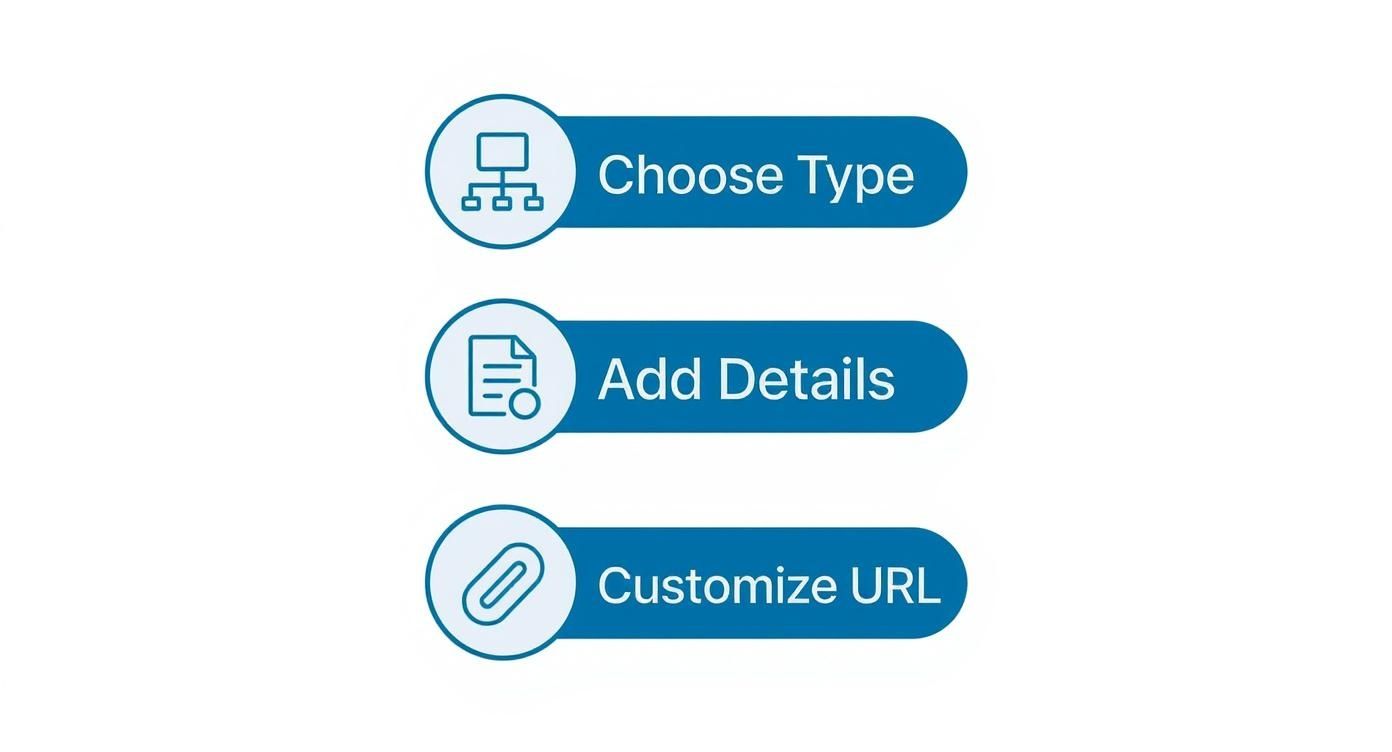
Each of these steps builds on the last, helping you create a professional and discoverable page that's truly ready for business.
Driving Action and Engagement
A passive page is a useless page. You have to actively guide visitors to do something. LinkedIn gives you a customisable call-to-action (CTA) button that sits right at the top of your page—don't just leave it on the default setting!
Pick the CTA that makes the most sense for what you're trying to achieve right now:
- Visit website: The go-to choice for driving traffic and general brand awareness.
- Contact us: Perfect for service-based businesses that want to generate direct enquiries.
- Learn more: A great option for sending people to a detailed resource or product page.
- Sign up: The best choice for promoting a newsletter, webinar, or a free trial.
This small but powerful button is what turns your page from a simple profile into an active lead-generation tool. For a deeper dive into making your page work harder for you, check out these 8 LinkedIn Company Page best practices.
Reaching "All-Star" Status
LinkedIn has a little progress bar that encourages you to complete your page to achieve an "All-Star" rating. This isn't just a vanity metric; pages that hit this benchmark get a real boost in visibility. LinkedIn's algorithm favours complete profiles, which means you'll show up in more searches and get recommended more often.
To get there, you simply have to fill out every section available. Add your location, website, organisation size, and all the other details. A complete page is a clear signal to both the platform and its users that you're a credible and active organisation.
The difference between a basic page and one that’s been properly optimised is night and day. Just look at this simple comparison.
Optimization Checklist: Before and After
A quick look at the table below shows just how impactful a few strategic tweaks can be. It's the difference between looking amateur and looking like a professional authority in your field.
| Page Element | Under-Optimised Page (Before) | Fully-Optimised Page (After) |
|---|---|---|
| Banner Image | Generic, low-resolution placeholder | Custom, on-brand graphic |
| "About Us" | Short, generic description | Keyword-rich, compelling narrative |
| CTA Button | Default "Follow" button | Custom "Visit website" or "Sign up" |
| Completion | Missing key information | All sections completed ("All-Star") |
Ultimately, optimising your LinkedIn Company Page is about making a conscious effort to present the best possible version of your brand online. Every field you complete and every image you choose contributes to a whole that is professional, discoverable, and far more effective at hitting your business goals.
Developing Your Page's Content Strategy
An optimised LinkedIn company page is a great starting point, but it's the content you share that really brings it to life. Without a plan, you're just another voice in the noise. To cut through and build a genuine community, you need a thoughtful content strategy that consistently delivers value.
Posting on the fly just doesn't work. It's like trying to cook a gourmet meal by randomly throwing ingredients into a pot. You need a recipe. A clear strategy ensures every single post has a purpose, whether it's to educate your audience, share an industry win, or just show the human side of your brand.
https://www.youtube.com/embed/PnmA3tWKlaA
A simple framework can make all the difference. By planning what you'll share and why, you create a reliable rhythm that your followers will come to expect and appreciate.
The 5-3-2 Rule for a Balanced Content Mix
One of the most effective frameworks I’ve seen is the 5-3-2 rule. It's a straightforward blueprint that helps you balance your content mix, stopping your feed from feeling too salesy or one-note. The whole idea is to keep your audience engaged by offering them a variety of genuinely useful posts.
Here’s how the 5-3-2 rule breaks down for every ten posts you share:
- Five posts of curated content: This means sharing valuable content from other credible sources in your industry. Think insightful articles, interesting reports, or breaking news. It shows you’re on the ball and positions your page as a go-to resource, not just a megaphone for your own brand.
- Three posts of created content: This is your original stuff—the content you produce yourself. It could be your latest blog post, a deep-dive case study, a white paper, or a video that highlights your team's expertise. This is where you build authority and establish yourself as a thought leader.
- Two posts of humanising content: It's time to pull back the curtain. Share behind-the-scenes moments, celebrate a team member's success, or post photos from a company outing. This is how you build a real, personal connection with your audience.
This balanced approach ensures you're putting your audience first, which is the secret sauce for building trust and a loyal community around your LinkedIn page.
Content Formats That Thrive on LinkedIn
Beyond what you post, how you post it is just as crucial. LinkedIn’s algorithm definitely has its favourites, often promoting formats that keep people on the platform longer. To get the most mileage out of your content, you need to mix up how you present your ideas.
Video, for instance, is an absolute engagement machine. The platform’s focus on video—which drives five times more engagement than text-only posts—has clearly shaped how German companies are approaching their marketing to build a stronger brand presence. And video is just one option. To see how these formats fit into the bigger picture, check out our complete guide to building a social media content strategy.
Here are a few other top-performing formats to work into your plan:
- Carousels (PDF Documents): These are perfect for breaking down complex ideas into easy-to-digest, swipeable slides. Use them for how-to guides, lists, or to share the key takeaways from a recent blog post.
- Polls: This is probably the easiest way to spark a conversation. Polls invite instant interaction and can give you some fantastic insights into what your audience is thinking.
- Text-Only Posts with Good Formatting: Never underestimate the power of a well-written text post! Just be sure to use short paragraphs, bullet points, and the odd emoji to make it scannable and visually engaging.
Your goal isn't just to post content; it's to start conversations. The right format makes it easier for your audience to engage, comment, and share your insights, signalling to the algorithm that your content is valuable.
By mixing and matching these formats, you keep your feed feeling fresh and interesting. Someone might not have two minutes for a video, but they'll happily swipe through a quick carousel. To take your efforts to the next level, I’d also recommend exploring a more detailed LinkedIn Content Strategy that Boosts Business Growth. A well-rounded approach ensures you’re not just showing up—you’re actively building a community.
Growing Your Followers and Building a Community

You can have a perfectly optimised page and a killer content strategy, but without an audience, it’s like shouting into the void. Growing your follower count isn't just a numbers game for the sake of it; it’s about building a real community of people who genuinely care about what you do and say.
This is where you shift from just broadcasting messages to sparking actual conversations. Building a community takes a conscious effort. You need a solid plan to draw in the right people and give them a reason to stay, engage, and maybe even become advocates for your brand. Let's dig into how to make that happen.
Turn Employees into Brand Ambassadors
Your team is your secret weapon for organic growth. Seriously. When your employees link their personal profiles to your company page and share your content, your reach explodes into their professional networks. Think of it as a warm introduction to new audiences who already know and trust your team.
You can encourage this by making it dead simple for them. Here’s how to build that culture of advocacy:
- Celebrate Company Wins: Regularly post about team achievements and make sure to tag the people involved. It makes them feel valued and much more likely to share the news with their own connections.
- Provide Simple Templates: Some people want to share but just aren't sure what to write. Give them a few pre-written (but customisable!) text snippets to make sharing a one-click affair.
- Highlight Employee Spotlights: Feature different team members and talk about their work. This doesn't just boost morale; it puts a human face on your brand for anyone discovering you for the first time.
This kind of internal support is the bedrock of steady, sustainable community growth.
Engage Beyond Your Own Page
Don't just sit back and wait for people to find you—go out and join the conversation. Getting active in your industry's circles is essential for getting noticed and attracting the right kind of followers. It’s the online equivalent of networking at a big industry event.
The goal is to be a valuable participant, not just a spectator. Your interactions signal to the LinkedIn algorithm that you are an active and relevant voice in your field, which naturally boosts your page's visibility.
Join industry groups where your ideal customers or partners are hanging out. Share your expertise, answer a few questions, and get involved in discussions without being pushy or salesy. Also, make sure to use targeted hashtags in your posts. This helps your content reach people interested in those topics, even if they aren't following you yet.
Foster a Thriving Community
Engagement is a two-way street. When someone takes a moment to comment on your post, replying quickly is more than just good manners. It shows that person—and the LinkedIn algorithm—that your page is a place where real conversations happen.
Responding to comments is one of the single best ways to create that community vibe. It encourages others to jump in and helps turn passive scrollers into active members of your audience. For a deeper dive into this and other powerful growth tactics, check out our complete guide on how to grow a business page on LinkedIn.
By using these strategies consistently, you’ll transform your page from a static profile into a buzzing community hub.
Turning Your Page into a Talent Magnet
Think beyond just posting updates. Your LinkedIn company page has some serious firepower built right in, specifically for employer branding. These features are your chance to turn a simple marketing outpost into a full-blown recruitment hub, giving potential hires a real, honest look at what it’s like to be part of your team.
This is where you get to shape the narrative. It’s not about just slapping up a list of job openings. It’s about building a story around your company culture, your mission, and, most importantly, the people who drive your success. Get this right, and you'll attract top-tier talent who are looking for a genuine fit, not just a paycheque.
Bring Your Company Culture to Life
The Life tab is, without a doubt, the single best employer branding tool on your page. Think of it as a dedicated mini-website, right inside LinkedIn, designed to show off your company culture in a way that static posts just can't. It’s the ultimate behind-the-scenes pass.
Here’s what you can spotlight:
- Your Core Values: Spell out what your company truly believes in.
- Voices from the Team: Let your employees do the talking with genuine testimonials and stories.
- The Vibe: Use photos and videos to capture everything from office life to team outings.
- The Bigger Picture: Explain the mission that gets everyone out of bed in the morning.
This dedicated space gives you complete control to show candidates what makes your workplace stand out from the crowd.
More Than Just a Job Board
In today's market, just posting a job and hoping for the best is a recipe for disappointment. Your LinkedIn page acts as a central hub where potential candidates can discover your open roles and, crucially, decide if your company is a place they actually want to work. A sharp, well-written job post paired with a compelling Life tab is an unbeatable combination.
Your employer brand is what people say about your company as a workplace when you're not in the room. The Life tab and smart job postings let you actively shape that conversation.
In competitive markets like Germany, a solid employer reputation on LinkedIn gives you a massive edge. You see this reflected in annual rankings that evaluate companies on things like employee skills growth, company stability, and diversity—all things you can showcase directly on your page. To see what the top employers are getting right, you can discover more about these rankings and their criteria.
By putting these advanced features to work, you’re not just filling empty seats. You’re building a pipeline of high-quality candidates who are already sold on your mission and excited about your culture.
Got Questions About LinkedIn Company Pages? We’ve Got Answers.
When you're getting to grips with a LinkedIn Company Page, a few questions always seem to pop up. Whether you're building a page from scratch or just trying to fine-tune your existing one, getting straight answers makes all the difference. Let's clear up some of the most common head-scratchers.
One of the first things people ask is about the cost. Is this going to hit the marketing budget? The good news is that setting up and running a standard LinkedIn Company Page is completely free. Of course, LinkedIn has paid advertising and premium tools if you want to splash some cash, but you can build a fantastic organic presence without spending a cent.
Who Holds the Keys? Page Access and Admin Roles
"I'm trying to create a page, but LinkedIn won't let me!" This is a classic stumbling block, and it usually comes down to a few simple checks. Your personal profile needs to have been active for at least a few days and have a decent number of connections before LinkedIn trusts you to create a page for a business.
You might also hit a wall if a page for your company already exists. It's always worth searching for your business name first. If you find one, the goal isn't to create a duplicate but to request admin access from whoever currently manages it.
A well-run page has clear roles. You can assign different admin levels—from a Super Admin who controls everything to a Content Admin who can just post and manage comments. This is brilliant for letting your team work together without handing over the master keys to everyone.
Is My Page Actually Doing Anything?
This is the big one: "How do I know if my page is working?" Thankfully, LinkedIn doesn't leave you guessing. It comes with a solid set of built-in analytics that gives you a real look at how you're performing.
These tools give you a direct window into your followers, visitors, and post engagement. You can easily keep an eye on key numbers like:
- Follower Demographics: Find out the job titles, industries, and locations of the people following you.
- Post Impressions and Clicks: See exactly which posts are grabbing eyeballs and making people act.
- Engagement Rate: Measure the percentage of your audience that's liking, commenting on, and sharing your content.
Dipping into these analytics regularly is the secret to figuring out what your audience loves. It lets you stop guessing and start creating content that genuinely gets results.
Keeping a professional social media presence active takes time, but it shouldn’t feel like a chore. With Trustypost, you can come up with on-brand post ideas, schedule your content in a few clicks, and maintain a consistent voice without the stress. Give the free 7-day trial a go and see how simple it is to turn your LinkedIn page into a proper asset for your business.