
A Social Media Content Plan transforms random posts into a cohesive calendar that boosts brand reach, sparks genuine conversation, and gives your creative team breathing room. You’ll walk through setting clear objectives, uncovering audience insights, and shaping robust content pillars—illustrated by a local retailer’s holiday pop-up in Munich. Along the way, you’ll pick the right scheduling tools, like Trustypost, and learn how to measure success with real insights.
Mastering Your Social Media Content Plan
The Munich pop-up kicked off planning in September with targets for store visits, newsletter sign-ups and post shares. Getting a head-start let them refine visuals and captions without the last-minute scramble.
Next, they grouped audiences by age bracket, favourite products and peak browsing times. Data from Instagram polls and past sales steered theme choices, so every post hit the right note.
- Define campaign goals that match seasonal promotions
- Use polls and analytics to map out core customer segments
- Build three to five content pillars for consistent storytelling
- Plan your calendar at least one month ahead to cut stress
- Keep a few slots open for timely reactions to trends
For instance, the retailer introduced a “Gift Idea” pillar with daily carousel posts. They mixed in behind-the-scenes Stories to humanise the team. This blend drove comment rates up by 15% and freed their team from constant firefighting.
“Scheduling ahead turns last-minute chaos into creative opportunity.”
They almost derailed by chasing vanity metrics and posting inconsistently. My advice? Lock in a regular rhythm and prioritise engagement quality—track comments, saves and genuine inquiries.
Before a full Instagram roll-out, they trialled small Facebook posts. Real-time feedback shaped copy tone and image style. Staying nimble meant the campaign felt audience-led every step of the way.
For more on boosting real connection, check out Trustypost’s guide on social media engagement tactics: discover engagement tips.
This example shows why a well-oiled content plan matters. Next, we’ll dive into setting SMART goals tailored to your business cycle and seasonal peaks.
Retailer Holiday Campaign Example
Roles for content creation, editing and scheduling were clearly assigned, with deadlines and approval stages. That clarity slashed revision rounds by 30%, freeing hours for fresh ideas.
- Time product launches to customer interest spikes
- Choose visuals that echo local traditions and festive vibes
- Reserve one surprise-offer post each week to spark excitement
With this hands-on blueprint, you’re ready to build your own plan. Let’s get started today.
Setting Goals And Identifying Audience
I always kick off a content plan by tying social media targets back to real business ambitions. Without that clear line of sight, campaigns can drift off course.
Defining SMART goals keeps the team focused and gives every post a purpose.
- Boost comments by 25 per cent in three months to spark real conversations
- Lift click-through rates by 15 per cent to drive more site visits
- Increase story replies by 30 per cent to fuel community feedback
Mapping Audience Segments
Creating detailed personas is like having a roadmap for where—and how often—you should publish. In one German e-commerce example I worked on, 25–34 year-olds on Facebook and Instagram formed the core audience.
Surveys revealed their love of travel, fitness and the latest gadgets. Analytics then showed peak engagement around lunchtime and early evening. Bringing together their demographics, interests and online habits shaped every piece of messaging.
For instance, when we featured eco-friendly packaging in an Instagram story, shares jumped by 20 per cent among that group.
Platform Penetration And Usage In Germany
Below is an overview of key platform adoption rates, average daily usage and primary age groups to inform your audience targeting.
| Platform | Penetration % | Average Daily Use | Primary Age Group |
|---|---|---|---|
| 44.4 | 33 mins | 25–34 | |
| 32.6 | 30 mins | 18–24 | |
| TikTok | 40.0 | 50 mins | 16–24 |
| YouTube | 80.0 | 60 mins | 18–34 |
This snapshot makes it easy to decide whether to invest in TikTok reels or daily Instagram stories based on where your audience spends most of their time.
Validating Goals With Tests
Before scaling up, run small-batch experiments to make sure your targets are within reach. In Germany, roughly 45 per cent of people had at least one social media account in 2021, averaging around two hours of engagement each day and 5.9 accounts per user. Discover more on social media usage patterns in Germany.
Introducing The Infographic
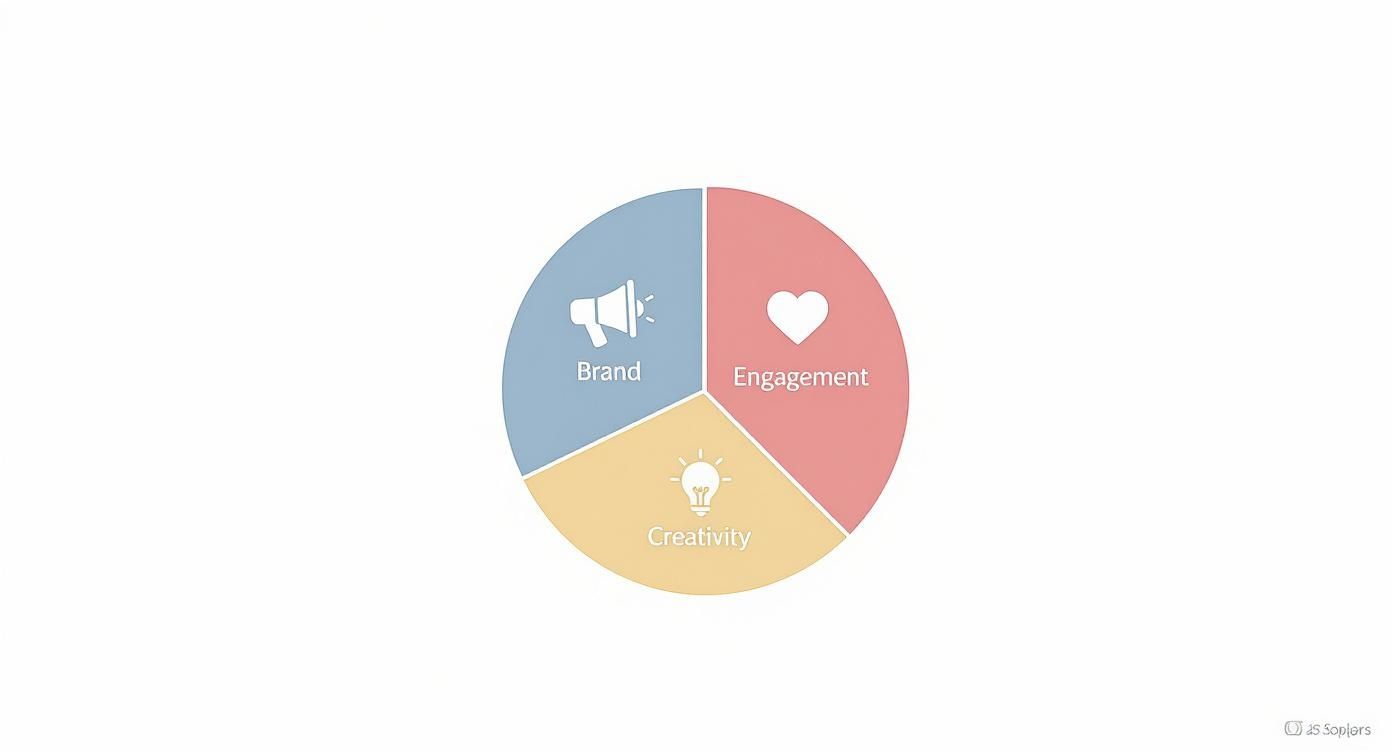
This visual breaks down how brand awareness, engagement and creativity share the spotlight. You’ll notice engagement and brand slices take up the largest pieces—proof that interactive posts build stronger communities.
Documenting And Refining Goals
Putting your goals into a simple tracker ensures everyone’s on the same page. Our template logs objectives, metrics and review dates in one place.
- Align timelines with seasonal peaks—think product launches, trade fairs or holiday promotions
- Assign each goal to a specific team member for clear accountability
- Review progress early and adjust targets to reflect real-world feedback
Key Takeaway Documenting and testing goals from the start saves time and effort down the line.
With well-defined objectives and a vivid picture of your audience, your content planning moves from guesswork to strategy.
Setting Realistic Timelines
Timebound targets keep momentum high. Link your milestones to events that matter—whether that’s a spring sale or an industry expo. For example, we scheduled three Instagram posts per week from April to June and saw a 15 per cent jump in story replies over two months.
Prioritising Channels
Dive into your analytics tool to uncover the platforms that matter most. A quick Facebook trial might reveal if LinkedIn articles or Instagram reels resonate better with your audience.
- Run A/B tests on formats—compare static images to short videos
- Experiment with posting days to identify your peak engagement windows
With goals locked in and audience insights in hand, your content calendar will deliver targeted messages that drive real action. Next, you’ll define content pillars, build your calendar and explore tools like Trustypost for streamlined scheduling. Small test runs will validate your approach, and regular reviews will keep your plan flexible as both audience behaviour and business milestones evolve.
Defining Content Pillars and Themes
Once you’ve nailed down your goals and nailed your audience personas, it’s time to choose three to five core pillars that echo your brand’s soul. These pillars become your North Star—guiding every caption, graphic and video from spark of inspiration to meaningful insight.
Think of them as categories that feel authentic to your community. By zeroing in on themes that resonate, you’ll cut through the noise and keep followers coming back for more.
Brainstorming Pillars With Real Examples
Mixing up formats—like video clips, static images and easy-to-read infographics—ensures your feed never feels stale. Here are a few ideas we’ve tested in the wild:
- Customer Success Stories highlighting real transformations
- Behind-the-Scenes peeks into your daily process to build trust
- User-Generated Content that invites fans to take part
- Educational Posts such as quick tips or myth busters
- Seasonal Themes timed to holidays, industry events and trends
In one Berlin yoga studio, pairing tutorial reels with member spotlights lifted save rates by 22% and sparked a wave of new class sign-ups.
Here’s the latest snapshot of Facebook user demographics in Germany to help you pick the right pillars:

| Segment | Number | Share of Population |
|---|---|---|
| Total Facebook Users (Oct 2025) | 43.6 million | 53.4% |
| Users Aged 25–34 | 12.4 million | – |
As a result, a small café chain doubled down on health-focused posts for that 25–34 bracket and saw engagement climb by 18%. Read more insights in the study
Using Mood Boards And Seasonal Trends
When creativity feels stuck, mood boards are your secret weapon. In our team, monthly editorial huddles revolve around updating a shared digital canvas. Everyone pins colours, fonts and inspiration tied to each pillar—then we vote on what stays and what evolves.
- Keep the board live in a shared drive so ideas flow in real time
- Refresh it every quarter to capture shifting trends
- Tag each pin with its pillar for quicker selection
This routine keeps themes fresh and prevents that dreaded “blank-page” syndrome.
Repurposing Assets And Scheduling Themes
A smart mix of recycled content and new creations stretches your resources without sacrificing impact. For example, turn a top-performing video into a carousel post, then extract quotes for Stories.
Tip: Schedule thematic weeks in advance so repurposed assets slot neatly into calendar gaps.
Tools like Trustypost’s drag-and-drop planner give you a visual map of upcoming themes. To keep things on track:
- Assign a pillar champion to own each category
- Store pillar definitions in a shared document for consistency
- Use analytics tags to label posts by pillar in your dashboard
By defining clear pillars, experimenting with varied formats and repurposing high-impact assets, you’ll maintain a steady stream of engaging content—day in, day out.
Building A Content Calendar
Putting together a content calendar transforms scattered ideas into a cohesive plan. It outlines topics, formats and channels, with publish dates pencilled in across weeks or months. This simple framework helps your team stay consistent and sidestep last-minute panics.
You might rely on a basic spreadsheet or choose something more visual. A shared sheet works well for smaller teams, while Trustypost’s drag-and-drop planner offers automated reminders and a clear overview of every upcoming post. With everything laid out on screen, batch creation becomes much smoother.
Consider a Berlin startup that mapped out monthly themes—from product tutorials to customer testimonials. Spotting content gaps early meant they could pivot whenever industry news broke, saving hours of frantic brainstorming.
Now, let’s see where audiences really spend their time in Germany.

The chart highlights Facebook at 44.4% market share, Twitter at 31.3% and Instagram at 8.4%. On average, a Facebook user in Germany scrolls for about 33 minutes each day.
Below, we’ve charted how each platform stacks up when it comes to usage and access methods.
Platform Usage and Engagement Details
| Platform | Market Share % | Daily Usage (mins) | Desktop Access % |
|---|---|---|---|
| 44.4% | 33 | 52% | |
| 31.3% | 25 | 47% | |
| 8.4% | 20 | 35% |
These insights guide your choice of channels, posting frequency and formats, ensuring your resources go where engagement is strongest.
Thematic Weeks And Batch Creation
Assigning each week a clear theme keeps your pipeline fresh. For example, one week focuses on customer success stories, the next on how-to videos. This rhythm prevents guesswork and builds audience anticipation.
Batch creation cuts down on context switching. Reserve a couple of days each month to draft captions, select images and schedule posts. Tackling tasks in groups will speed up approvals and reduce back-and-forth.
- Define 4–6 weekly themes tied to your core content pillars
- Block out calendar slots for creation and review sessions
- Apply colour codes or tags to mark post status and topic
The calendar is your north star—it highlights gaps before they become problems.
Review Cycles And On-The-Fly Posts
A straightforward checklist keeps every post aligned with your brand guidelines. Map out stages like draft, edit, approval and scheduling so nothing slips through the cracks.
For spur-of-the-moment updates—think newsjacks or trending conversations—keep a mini-template with image specs, character limits and hashtag rules. It lets you publish reactive content without derailing your broader plan.
Check out our guide on scheduling social media posts with Trustypost to automate this process.
- Draft content at least two weeks ahead and finalise captions three days before go-live
- Route every post through a defined approval chain with clear deadlines
- Reserve two slots per week for reactive or unexpected content
Preserving Flexibility And Consistency
Even the best-laid plans need wiggle room. Carve out buffer slots for urgent updates or breaking news. This protects your calendar from rigidity and keeps you responsive.
When a theme shifts, document the change, alert stakeholders and swap in new assets quickly. A solid fallback process ensures consistency remains intact, even when you adapt on the fly.
- Tag each post with backup content ready to fill gaps
- Maintain a library of evergreen assets for quick deployment
- Conduct monthly calendar audits to align with fresh goals
Automated Scheduling With Trustypost
Trustypost can analyse the best times to post and publish automatically, reducing manual work. It watches trends, adjusts schedules and ensures your updates go live when your audience is most active.
Choosing Tools And Platforms
Once your content calendar is mapped out, the real challenge begins: finding the right mix of platforms to keep your team on track. Pick wisely and you’ll avoid bottlenecks, ensure smooth collaboration and move seamlessly from brainstorming to reporting.
Key Features To Compare
A robust CMS is the backbone of any workflow. In our experience, you want:
- Version Control to track edits
- Shared Content Library for quick asset retrieval
- Role-Based Permissions so everyone knows their part
Social inboxes should bundle messages into a single stream. Look for tagging capabilities and response templates to tackle high volumes without missing a beat.
When it comes to analytics, ease of use is crucial. Prioritise:
- Drag-and-drop report builders
- Automated scheduling insights
- Integration with ad platforms
| Feature | Trustypost | Alternative Tools |
|---|---|---|
| Workflow Automation | Yes (cuts scheduling time by 50%) | Limited or none |
| Shared Content Library | Yes | Basic folders or absent |
| Approval Pipelines | Built-in | Manual via email |
| Price Range | Starter to Lifetime | £0–£100+/month |
Automating approvals and scheduling means more time for creativity and strategy rather than manual tasks.
Consider Team Size And Budget
Not every group needs enterprise-grade software. Smaller teams or solopreneurs often favour lightweight, cost-effective solutions:
- Buffer: simple scheduling with a free tier of 30 posts per channel
- Planable: collaborative drafts and a free plan for 50 posts
- CoSchedule: free basic marketing calendar for solo users
Real-World Tool Selection Case
A mid-sized marketing team in Hamburg swapped spreadsheets and native planners for Trustypost and a dedicated social inbox tool. Overnight, they visualised approval chains and consolidated their asset library.
- Revision rounds fell by 40%
- Publishing errors dropped by 25%
- Output jumped from 3 to 9 posts per week
Transparency soared—everyone knew what was live, what was scheduled and who owned each task.
Integration And Future-Proofing
Choosing software isn’t just about today. Make sure it plays nicely with Slack, Google Drive or your CRM. Check for:
- API access and webhook support
- Out-of-the-box connectors
- A clear product roadmap and support policy
Testing in a sandbox environment can save headaches down the line. And always explore flexible pricing tiers that grow with your needs.
Pricing Tiers And Trials
Before you commit, dive into trial periods and renewal costs. A solid trial helps you uncover hidden fees.
- Seek at least a 14-day free trial with no credit card required
- Confirm that the entry plan includes collaboration and analytics
- Double-check overage fees or user-based pricing limits
To help you select the right resources for your content creation process, consider exploring these 12 Best Tools for Content Creators.
Security And Support
Data security can’t be an afterthought. Always verify:
- GDPR compliance and data residency options
- SLA uptime guarantees and backup protocols
- Available support channels (chat, email or phone)
Picking tools that align with your current workflows—and scale as you grow—is the secret to a content-powered social media plan that never misses a beat.
Measuring Results And Iterating Your Plan
Wrapping up a content cycle isn’t just about posting and moving on. You need to line up your metrics with those SMART objectives from the start, so you know exactly what worked—and why.
Whether you’re glancing at reach, engagement or click-throughs, having everything in one view makes it obvious what’s driving real impact. Native analytics tools give you instant feedback, while third-party dashboards bring every channel into a single report. And those custom templates? They keep conversations focused on outcomes that matter.
Tracking Key Metrics
- Reach reveals how many unique users saw each post—and on which platform.
- Engagement Rate measures likes, comments, shares and saves against total views.
- Click-Through Rate calculates the percentage of users tapping your links.
- Conversions cover sales, sign-ups or any action that ties back to your goals.
- Brand mentions and sentiment analysis highlight shifts in community perception.
By running a quick audit each week instead of waiting for monthly numbers, you’ll spot trends before they slip away. For example, a small apparel label in Berlin reshuffled its content pillars and saw a 20% surge in interaction almost overnight.
Audits And A/B Tests
- Kick off weekly reviews to benchmark yesterday’s top posts against last week’s.
- When a theme starts to underperform, rebalance your pillar distribution.
- Test variations in captions, visuals or timing to uncover what resonates.
- Log every tweak in a shared dashboard so the team learns from each cycle.
For deeper guidance on measuring social media performance, explore our guide on social media KPI strategies.
To ensure your social media content plan drives tangible business outcomes, it’s crucial to understand how to leverage shoppable UGC for continuous conversions.
Comparing Reporting Options
| Tool Type | Pros | Cons |
|---|---|---|
| Native Analytics | Real-time data in your dashboard | Limited cross-channel view |
| Third-Party | Unified overview across platforms | Subscription costs |
| Custom Templates | Fully customised reports | Manual setup required |
Third-party platforms can speed up analysis, though they often come with a fee. Conversely, custom templates demand more initial work but surface exactly the insights your team values. Many marketers combine native and third-party tools—exporting data from Instagram and Facebook into a bespoke sheet to track cross-channel patterns without extra subscriptions.
Meanwhile, automated alerts flag sudden drops in reach or engagement, while qualitative signals—like comment sentiment and DMs—round out the picture. A quick poll or survey can confirm what the numbers suggest and spark new content ideas.
Reporting Templates And Benchmarks
- Grab a weekly template covering all core metrics and takeaways.
- Benchmark against the past 3–6 months to unearth long-term trends.
- Apply conditional formatting to highlight unexpected drops or spikes.
Common Pitfalls To Avoid
- Chasing vanity metrics without linking them back to your goals.
- Postponing optimisations until quarterly reviews, which can leave insights stale.
- Overlooking shifts in audience behaviour that change engagement dynamics.
Key Takeaway Continuous measurement and swift iteration keep your content plan adaptable and effective.
Case Study Example
A boutique apparel label in Munich swapped monthly check-ins for weekly audits in Trustypost. By reprioritising their pillars and fine-tuning post times around data peaks, they boosted conversions by 15% and lifted click-throughs by 10% in just six weeks.
Fine Tuning Your Strategy
- Start each month by reviewing fresh data to guide your upcoming plan.
- Rotate content pillars when engagement plateaus, and introduce formats like polls or short-form videos.
- Document every change and update benchmarks to capture growth early.
Iteration is the engine behind progress—it keeps your strategy in step with audience interests and emerging platform features. Share your findings with stakeholders, maintain transparent reporting, and watch each post drive you closer to your business goals.
FAQ
Refreshing your calendar when trends shift keeps your content feeling fresh. At a Berlin café chain I collaborated with, a surprise heatwave led us to swap a scheduled promo post for a mini-series on cool drink hacks.
- Monitor trending hashtags daily
- Reserve 10% of slots for reactive content
- Re-evaluate core themes every two weeks
Making this routine ensures you never miss a sudden change. For example, Trustypost flags trending keywords automatically and alerts you when a new topic surges.
Viral Moments Integration
When a meme or viral song resonates with your brand, speed matters. A Bavarian bakery turned a popular food challenge into a branded video within hours, lifting reach by 35%.
Keep a simple mini-brief ready with:
- Visual specs
- Tone guidelines
- Approval steps
Quick Tip
Have evergreen graphics and draft captions at the ready for lightning-fast publishing.
Metrics That Matter
True ROI isn’t just about likes. Focus on:
- Conversion rate from clicks to sign-ups
- Comment-to-reply ratio for engagement depth
- Share velocity over a 24-hour window
A weekly audit helped a local startup tie its #GiveBack campaign to charity sales, doubling donations in one month.
Repurpose Top Posts
Give your best performers a second life. For a popular tutorial reel, try:
- A carousel post breaking down each step
- Three static quotes for Stories or Tweets
- A blog snippet to share on LinkedIn
This tactic boosted engagement by 25% across channels.
Remember
Evergreen content adapts well whenever you need to fill gaps or refresh your feed.
Reclaim hours every week by automating scheduling and content suggestions.
Ready to simplify your social media workflow? Try Trustypost for AI-powered planning, idea generation and seamless scheduling in minutes: Trustypost