Ads by Twitter are essentially paid promotional messages that let businesses tap into a specific, highly engaged audience on the platform, which you probably know as X now. These ads slot right into users' timelines, pop up in search results, and even appear on profiles, giving brands a direct line to boost awareness, get more website clicks, and pull in new leads.
Why You Should Be Using Ads by Twitter

Before we jump into the "how-to," let's talk about why Twitter is such a unique and powerful place to spend your ad budget. It's not like other platforms where everything is polished and curated. Twitter is a live, buzzing hub of conversation where news breaks first, trends are born, and people share what's on their minds, right now.
For an advertiser, that's a goldmine. You're not just showing an ad; you're getting the chance to inject your brand directly into relevant conversations as they unfold. You can connect with people who are already tuned in and actively participating, which makes the platform incredibly effective for hitting very specific business goals.
Capitalising on Real-Time Relevance
The real magic of Twitter is its immediacy. Think about it: a German electronics retailer is about to launch a new smartphone. They could run ads by Twitter targeting anyone talking about a "neues Handy" (new mobile) or following the big tech influencers. They're capturing interest at the precise moment someone is thinking about their next purchase. That kind of real-time connection is tough to find anywhere else.
And the audience size isn't small, either. In Germany alone, the platform's advertising reach was hovering around 21.6 million users in early 2025. That's about 25.6% of the entire population. Your ads have the potential to be seen by nearly one in four Germans, which gives you some serious scale to work with.
A Platform Built for Engagement
Twitter is all about interaction. Retweets, replies, and likes are the lifeblood of the platform, and this creates a fantastic opportunity for advertisers to build a community and get instant feedback. A great ad doesn't just get seen—it gets talked about and shared, which amplifies its reach organically. This back-and-forth helps build brand relevance and trust in a way a static billboard never could.
The true power of ads by Twitter lies in joining the conversation, not just interrupting it. When you align your message with what's trending and what people care about, you stop being just another advertiser and become a relevant part of their world.
The platform is also constantly evolving to help advertisers. It's worth keeping an eye on updates like Twitter's new features for social commerce to understand the full scope of what's possible. New tools are always being added to help turn that fleeting attention into actual, paying customers, making every euro you spend work that much harder.
Getting Your First Twitter Ad Campaign Off the Ground
Diving into a new advertising platform can feel daunting, but trust me, getting your first campaign live on Twitter (now X) is a lot less complicated than it looks. It's really about making a few smart decisions upfront that will set you up for success. Let's walk through what actually matters when you're setting things up.
Everything happens inside the Twitter Ads Manager. This is your command centre for building, watching, and fine-tuning your campaigns. Before you do anything else, you’ll need to set up your ads account – just some basic info like your country and time zone. Simple enough.
What's Your Goal? Choosing the Right Campaign Objective
With your account ready to go, your first real decision is picking a campaign objective. This isn't just for show; it's you telling Twitter's algorithm precisely what you want to accomplish. This choice fundamentally shapes who sees your ads and how your budget is spent. Think of it as giving your campaign its marching orders.
Your objective should be a direct reflection of your business goal. Are you trying to get as many eyes as possible on a new product? Or are you focused on driving people to your online store to buy something right now? Each objective is optimised for a different kind of user action.
Here are the most common ones you'll be working with:
- Awareness: Pick this when you just want to get your ad in front of the maximum number of people. It’s perfect for a new brand launch in Germany or announcing a big company update. You pay for impressions (CPM, or cost per 1,000 views).
- Website Traffic: Just like it sounds, the goal here is to get people to click through to your website. This is your best bet for promoting a new blog post, a landing page, or your e-commerce homepage.
- Engagements: Want to get a conversation going? Choose this. It's great for boosting tweets you want to see go viral, running polls, or just getting more likes, replies, and retweets on your content.
- Sales: This is a more recent and powerful option built for e-commerce. It uses Twitter's smarts to find users who are most likely to actually buy something. If direct revenue is your goal, this is a fantastic choice for your ads by Twitter.
The Ads Manager guides you through this pretty smoothly.
The interface makes it easy to match what you need for your business with a specific campaign type. Nailing this first step ensures your budget is working to find people who will actually do the thing you want them to do.
A Quick Tip on Naming Your Campaigns
This feels like a small thing, but believe me, it’s a lifesaver. Get into the habit of using a clear naming system for your campaigns right from the start. A few months down the line when you're running multiple ads, a messy account is a nightmare to analyse. A good name should tell you the campaign's story at a glance.
So, instead of something vague like "Summer Promo," get specific. A great formula includes the date, objective, target audience, and the promotion itself.
For instance, you might name a campaign:
2025-07_DE-Traffic_Tech-Followers_New-Widget-Launch
This name immediately tells you everything:
- Date: July 2025
- Region & Objective: Germany, Website Traffic
- Audience: Targeting followers of tech accounts
- Creative: The ad is for the new widget launch
My two cents: Adopting a consistent naming system is probably the single easiest win for staying organised. It lets you quickly compare what's working (and what's not) across different campaigns and audiences without having to click into every single one.
This little bit of discipline makes reporting faster and helps you make better decisions as you grow. Once you've got your objective selected and your campaign named, it's time to decide who you're going to talk to.
Finding Your Ideal Audience on Twitter
A brilliant ad campaign can fall completely flat if it doesn't reach the right people. You can have the slickest creative and a perfect budget, but if you're talking to an uninterested audience, you're just shouting into the void. So, let’s go beyond basic demographics and dive into how you can use Twitter's powerful targeting tools to zero in on your ideal customers.
The real magic of ads by Twitter is in layering the targeting options. You can start with a broader group and then chisel it down to a highly specific segment. Think beyond just "men in Germany." Instead, picture targeting "men in Germany who follow specific tech journalists and have recently tweeted about 'new software'." That's the kind of detail that turns a good campaign into a great one.
Building Audiences From Your Own Data
Your warmest leads are often the people who already know you. They've visited your site, bought from you before, or are on your mailing list. Targeting this group is often the lowest-hanging fruit. Twitter lets you upload your own data to create what it calls a Custom Audience.
You can pull from a few different sources:
- Customer Lists: Simply upload a list of email addresses or phone numbers. Twitter securely matches them to user profiles, letting you reconnect with existing customers.
- Website Visitors: By placing the Twitter Pixel on your website, you can create an audience of people who have visited key pages—like your checkout or a specific blog post.
- App Activity: If you've got a mobile app, you can target users based on actions they’ve taken inside it, like completing a level or making an in-app purchase.
A great real-world example? A Berlin-based coffee subscription service could upload a list of all its past subscribers. They could then run a targeted ad campaign with a special "we miss you" discount, bringing lapsed customers back into the fold. It's direct, relevant, and highly effective.
Discovering New Prospects With Lookalike Audiences
Once you have a solid Custom Audience built from your best customers, you can tap into one of Twitter's most powerful features: Lookalike Audiences. You're essentially asking the platform to analyse the common threads—interests, demographics, online behaviours—of your source audience and then go find a much larger group of new users who share those same traits.
This is your shortcut to scalable growth. Instead of guessing who your next customer might be, you're using hard data from your best existing customers to find thousands more just like them. It's a much smarter way to expand your reach.
Imagine a German B2B software company. They could take a list of their top 100 enterprise clients and turn it into a Custom Audience. From there, they create a Lookalike Audience to find other professionals in Germany with similar job titles, interests, and company profiles. This practically automates a huge chunk of their prospecting for ads by Twitter.
Tapping Into Real-Time Conversations With Keywords
Here's where Twitter's unique, real-time nature really comes into play. Keyword targeting lets you jump into conversations as they happen by reaching people based on the words, phrases, and hashtags they're using. You’re not targeting what they might be interested in; you're targeting what they are actively talking about right now.
You can target people who have recently:
- Tweeted a specific keyword or hashtag.
- Engaged with (liked, replied to) tweets containing a keyword.
- Searched for a term on Twitter's platform.
A local bookshop in Munich could target users tweeting "#buchliebe" (book love) or anyone asking for recommendations on new German authors. Your ad shows up at the exact moment of relevance, making it feel less like an interruption and more like a helpful suggestion. When planning your content, think about these conversational keywords. For more on this, our guide to building a strategic social media content plan is a great resource.
The infographic below helps illustrate how your main goal—whether it's sales, leads, or awareness—should dictate the campaign objective you choose.
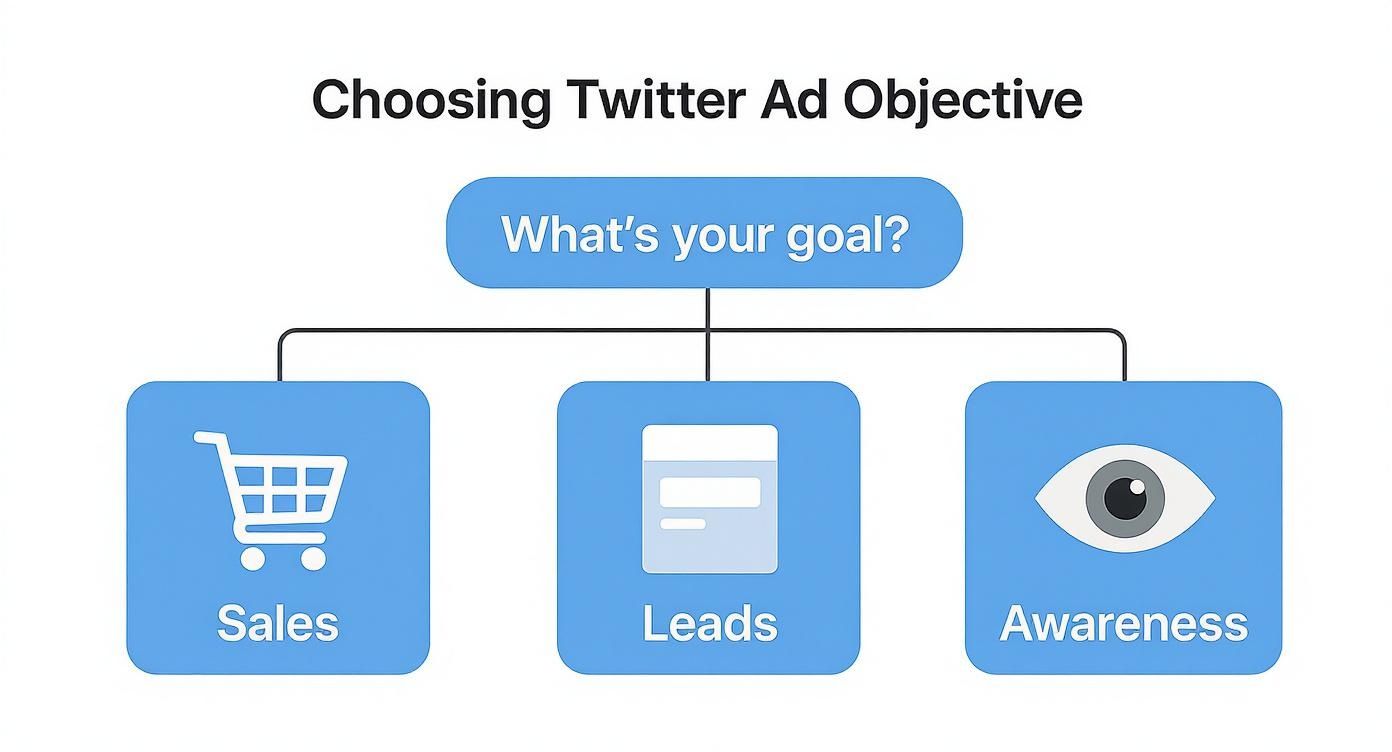
As you can see, locking in your goal is the critical first step before you even start thinking about audience segments.
Twitter Ad Targeting Options Compared
Choosing the right targeting method can feel overwhelming, but it really boils down to your specific campaign goal. The table below breaks down the main options to help you decide which strategy fits your needs best.
| Targeting Method | Best For | Example Use Case (DE Market) |
|---|---|---|
| Custom Audiences | Re-engaging past customers, nurturing warm leads, and upselling existing clients. | A Hamburg-based fashion e-commerce store uploads its email list to target past purchasers with an exclusive "VIP sale" ad. |
| Lookalike Audiences | Finding new, high-quality customers at scale by modelling your best existing audience segments. | A B2B SaaS startup in Frankfurt creates a lookalike of its highest-LTV customers to find new enterprise leads across Germany. |
| Keyword Targeting | Reaching people based on real-time intent and conversation, perfect for time-sensitive offers. | A travel agency in Cologne targets users tweeting about "urlaubsplanung" (holiday planning) with ads for last-minute deals. |
| Interest & Follower Targeting | Building brand awareness and reaching users based on their expressed interests and who they follow. | A new organic food brand targets followers of popular German food bloggers and users interested in "Bio-Lebensmittel" (organic food). |
Ultimately, the most successful campaigns often blend these methods. You might start by re-engaging a Custom Audience and then use a Lookalike Audience to expand your reach once you have a winning formula.
The investment in this kind of precise advertising is only growing. In Germany, social media ad spending is projected to hit around US$5.58 billion by 2025. With that much competition, getting your targeting right isn't just a good idea—it's essential for standing out and getting a return on your ad spend.
Smart Budgeting and Bidding Strategies
This is where the rubber really meets the road. Managing your ad spend effectively is the difference between a campaign that sings and one that just drains your wallet. Let's break down the budgeting and bidding system on X (formerly Twitter) so you can make every euro count.
At its most basic, your budget is simply your instruction to the platform on how much you’re willing to spend. It's your primary safety net. You've got two main ways to set this up, and the best choice really boils down to your campaign's goals and how long it's going to run.
Daily vs. Total Budgets
First, you’ll need to decide between a Daily Budget and a Total Budget. They might sound similar, but they function quite differently in practice.
-
Daily Budget: Think of this as your "always-on" setting. You set a cap on what you want to spend each day, which is perfect for continuous campaigns aimed at maintaining brand presence or driving consistent website traffic. A German e-commerce shop, for instance, might set a €50 daily budget to keep a steady stream of new visitors coming to their site.
-
Total Budget: This is your go-to for campaigns with a clear beginning and end. If you're running a flash sale over a weekend or promoting a specific event, a total budget is ideal. It gives the platform a hard spending limit for the entire duration of the campaign, ensuring you don't go a cent over what you've allocated.
A classic rookie error is using a daily budget for a short-term promotion. You might end up underspending because the campaign finishes before each day's budget is fully used. For a specific event, a total budget is much smarter; it allows the algorithm to be more aggressive on high-traffic days to get you the best results within your overall cap.
Choosing Your Bidding Strategy
With your budget in place, the next step is telling the platform how to bid for you in the ad auction. This is a balancing act between how much you want to pay and the results you want to achieve. Your choice here has a direct impact on how often your ads are shown to your ideal customers.
You've got three main bidding strategies to work with:
-
Automatic Bid: This is the "set it and forget it" option. You define your goal (like website clicks), and the algorithm works its magic to get you the most results at the lowest possible cost. It's an excellent place to start if you're new to the platform or just want an efficient, hands-off approach. The priority here is to spend your budget as effectively as possible.
-
Target Cost: This strategy offers a bit more control. You tell the system the average price you're happy to pay for each result (e.g., per link click or app install). The algorithm then aims to keep your average cost at or below that specific target. This is really useful when you have a clear Cost Per Acquisition (CPA) you need to maintain for profitability.
-
Maximum Bid: For the seasoned pros who want granular control. You set the absolute most you're willing to pay for a single action. You’ll never pay more than your bid, but be careful—setting it too low can seriously limit your reach, as you might not be competitive enough to win many auctions.
If you're just starting out, my advice is to begin with Automatic Bid. Let the algorithm do the heavy lifting and gather data. You can always switch to Target Cost down the line once you have a better sense of your performance and need to hit a specific CPA.
The effectiveness of these tools is crucial for the platform's own success. Advertising is the engine of X's business model, accounting for roughly 89% of total revenue as of early 2025. With projections showing global ad revenue on the platform is set to grow by 16.5% in 2025 to hit $2.26 billion, it's clear they are deeply invested in making these systems work for advertisers like you. You can read more about X's user and revenue statistics at sqmagazine.co.uk.
Designing Ad Creatives That Actually Work

On a platform as fast-moving as Twitter, you don't have minutes to make an impression—you have seconds, if you’re lucky. That user’s thumb is always poised to keep scrolling, so your ad creative needs to be a genuine showstopper. It has to be visually arresting, crystal clear in its message, and compelling enough to halt that endless feed in its tracks.
Success with ads by Twitter isn't just about outspending the competition; it's about outsmarting them with your creative. This means really getting to grips with the different ad formats available and pairing them with copy and visuals that connect instantly with the people you’re trying to reach.
Choosing the Right Ad Format
Twitter gives you a whole toolkit of ad formats, and each one is built to do a different job. The format you pick should be a direct reflection of your campaign goal. Sure, you could try to drive sales with a text-only ad, but you'll almost always find a visually rich Carousel Ad does the job far more effectively.
Let’s break down some of the most popular options:
- Promoted Ads: These are the bread and butter of Twitter advertising, looking just like regular tweets in a user's timeline. They can be images, videos, or plain text, which gives you a lot of flexibility. They're perfect for general announcements or kicking off a conversation.
- Carousel Ads: This format is a game-changer for showcasing multiple things at once. You can string together up to six images or videos in a single ad, each with its own headline and link. They are fantastic for e-commerce brands wanting to display a product line or for telling a story in chapters.
- Video Ads: In a world where video is king, these ads are your most powerful tool for grabbing attention. They work brilliantly for product demos, sharing your brand story, or featuring customer testimonials. Pro tip: Videos under 15 seconds get 33% more engagement, so keep it short and sweet.
- Twitter Amplify: This is a more premium option. It places your ad as a pre-roll before high-quality video content from top publishers. It’s a great way to align your brand with content people already love and reach a highly engaged audience.
Think of these formats as different tools in your workshop. A German travel agency, for example, could use a stunning video ad to showcase the beauty of a destination, then follow up with a Carousel Ad that lays out specific holiday packages and prices.
Crafting Copy That Connects
Your ad copy has an incredibly tough job to do. With only 280 characters to play with, it needs to be persuasive, clear, and unbelievably concise. Forget long, winding sentences; think short, punchy, and to the point.
Your copy should immediately answer the user's unspoken question: "What's in it for me?" Focus on the benefit, not just the feature. So, instead of saying "Our new software has AI integration," try something like "Save an hour every day with our new AI-powered software." See the difference?
The best ad copy feels like it was written for a single person, not a faceless crowd. Use a conversational tone, ask questions to spark curiosity, and don't be afraid to let your brand's personality shine through. It’s what makes you feel human and approachable.
And whatever you do, always include a clear Call-to-Action (CTA). Tell people exactly what you want them to do next. Vague CTAs like "Learn More" are fine, but specific ones like "Shop the Sale," "Download Your Free Guide," or "Book a Demo Today" are far more powerful because they set clear expectations.
Making Your Visuals Pop
In a visually crowded timeline, your image or video is your first and best chance to stop the scroll. A low-quality, boring visual will get ignored instantly, no matter how brilliant your copy is.
Here are a few practical tips I've learned for creating visuals that actually work:
- Use Bold Colours and High Contrast: You need your ad to look different from the native user interface. Bright, vibrant colours will help it pop off the screen.
- Include People: It's a simple trick, but ads featuring human faces tend to perform better. It helps create an emotional connection and makes the entire ad feel more relatable.
- Keep Branding Consistent: Your logo and brand colours should be present but not overbearing. The goal is for users to subconsciously link that great creative with your brand.
- Add Text Overlays to Videos: A huge number of users watch videos with the sound off. Use captions or bold text overlays to get your key message across without them ever needing to unmute.
If you’re looking for a spark of inspiration, it’s always helpful to see what’s working for others. You can explore a variety of successful ad examples to get a feel for different creative approaches that are killing it right now.
The Power of A/B Testing
Never, ever assume you know what will work best. The only way to know for sure is to test it. A/B testing, or split testing, is simply the process of running two slightly different versions of an ad to see which one your audience responds to more.
The key to a good A/B test is to change just one element at a time. If you change the headline and the image, you'll never know which one was responsible for the performance difference.
Here’s a simple framework to get you started:
- Test the Headline: Try pitting a direct statement against an intriguing question.
- Test the Visual: Run an A/B test with an image of your product versus an image of someone happily using your product.
- Test the Call-to-Action: Compare the performance of "Shop Now" against a more benefit-driven CTA like "Get 20% Off."
By systematically testing and refining your creatives, you turn advertising from a guessing game into a data-driven science. You let your audience's behaviour guide your creative decisions, which is how you make your ads by Twitter more effective and efficient over time.
How to Measure Your Campaign Success
https://www.youtube.com/embed/yM8ZS6KrXtw
Getting your ad campaign live is a great feeling, but that’s really just the starting line. Now the real work begins: turning a flood of raw data into smart decisions that actually improve your performance and prove the investment was worth it. Measuring success isn’t just about staring at a dashboard; it’s about understanding the story those numbers are telling you.
The goal here is to get past simply launching ads by Twitter and start building a system where every campaign teaches you something new. When you consistently track what’s working and what’s falling flat, you create a powerful feedback loop that makes every ad you run from here on out that much more effective.
Defining Your Core Metrics
Before you can measure anything, you have to know what you’re looking for. The metrics that matter most will always tie directly back to the campaign objective you selected during setup. A campaign built to drive website traffic needs to be judged very differently from one designed to build brand awareness.
Here’s a quick breakdown of the key metrics to watch, depending on your goal:
-
For Awareness Campaigns: Your world revolves around Impressions (how many times your ad was seen) and Reach (how many unique people saw it). You’re hunting for maximum visibility at an efficient Cost Per Mille (CPM), which is simply your cost per 1,000 impressions.
-
For Traffic or Sales Campaigns: The Click-Through Rate (CTR) is your hero metric here, showing what percentage of people who saw your ad cared enough to click. You’ll also be keeping a close eye on the Cost Per Click (CPC) to make sure you’re getting that traffic affordably. Ultimately, you want to see a high number of Conversions—the final action you wanted users to take on your website.
-
For Engagement Campaigns: In this arena, the Engagement Rate is everything. It’s a combined score of all interactions—likes, replies, retweets, and clicks—divided by your total impressions. This is your most direct signal for how well your creative is hitting home with your audience. A low Cost Per Engagement (CPE) is also a must.
Getting these distinctions right is crucial. For a broader look at evaluating your marketing efforts, some guides on how to measure marketing campaign success can provide additional context.
Interpreting the Data and Making Adjustments
After your campaign has been running for a few days, it's time to put on your detective hat. Start hunting for the outliers—the ads, audiences, or creatives that are either knocking it out of the park or lagging far behind. This is where your best optimisation opportunities are hiding.
Imagine you're running a campaign with three different ad creatives. If one has a CTR that’s double the others, that’s a massive signal from your audience. The smart move is to pause the underperformers and funnel more of your budget towards the clear winner. This one change can have a huge impact on your overall campaign ROI.
Key Takeaway: Don't be afraid to turn things off. One of the biggest mistakes I see advertisers make is letting weak ads bleed their budget, hoping they’ll magically start working. Trust the data, be decisive, and put your money where the results are.
The same logic applies to your audience segments. You might find that your ads are resonating far better with users who follow specific industry influencers than with those you targeted using keywords. That’s a golden nugget of information, not just for this campaign, but for every ad you run on Twitter in the future.
Building a Long-Term Optimisation Strategy
Measuring performance effectively isn't a one-and-done task; it's a continuous process. You should probably peek at your campaign performance daily, but plan to make significant changes on a weekly or bi-weekly schedule. This gives your adjustments enough time to run and gather meaningful data.
To keep yourself on track, build a routine. Maybe every Monday morning is your time to review the previous week's performance, pinpoint the top performers, and map out your next round of A/B tests. For a deeper dive into the specific numbers that truly matter on social platforms, check out our detailed guide on choosing the right social media KPIs.
When you treat measurement and optimisation as an ongoing cycle, your ads by Twitter stop being a simple promotional tool and become a powerful engine for learning and growth. Each campaign becomes smarter than the last, ensuring your ad spend delivers better and better results over time.
Common Questions About Twitter Ads
Jumping into any new ad platform always comes with a few questions. Let's tackle some of the most common ones that pop up when advertisers are getting started with Twitter ads. Getting these sorted out early will help you sidestep common roadblocks and get your campaigns running smoothly.
How Much Do Twitter Ads Actually Cost?
This is the big one, and the honest answer is: it really depends. Twitter ads run on an auction system, so there's no set price tag. Your costs are shaped by who you're targeting, how much competition there is in your industry, and what you're trying to achieve with your campaign.
That said, we can look at some recent industry benchmarks to get a rough idea.
- On average, you can expect to pay somewhere between $0.50 and $2.00 per engagement (like a click, reply, or retweet).
- If you're running a campaign to gain new followers, the cost per follower typically lands between $2.00 and $4.00.
Remember, these are just ballpark figures. A super-specific campaign targeting a competitive niche in Germany will likely cost more, whereas a broad brand awareness campaign might come in on the lower end.
My Two Cents: Don't get hung up on averages. Your true cost will be determined by your budget, bidding strategy, and—most importantly—how well your ad connects with your audience. My advice is always to start small, run a test campaign, and see what your own data tells you.
Can I Run Ads With a Small Budget?
Absolutely! You don't need a huge marketing war chest to get started. Twitter gives you total control over your spending by letting you set either a daily budget (say, €20 per day) or a total campaign budget. This means you'll never accidentally spend more than you're comfortable with.
A smaller budget is actually the perfect way to test the waters. You can run a tight, focused campaign for just a few days to figure out your cost per click or see what kind of engagement you get. The insights you gather from that small test are pure gold for planning bigger, more impactful campaigns later on.
How Long Does It Take to See Results?
You'll start seeing data like impressions and clicks roll in almost as soon as your campaign gets approved and goes live. That's the easy part. But figuring out the real impact on your actual business goals—like generating leads or making sales—takes a bit more patience.
As a rule of thumb, you should let a new campaign run for at least a few days, ideally a full week, before you start making any big changes. This gives Twitter's algorithm enough time to find its groove and provides you with enough data to spot real performance trends. Jumping the gun and making decisions too early is a classic mistake that can lead you to the wrong conclusions.
Ready to stop guessing and start creating high-impact social media content? Trustypost is your AI-powered ghostwriter and scheduling tool, designed to learn your brand's voice and generate daily post ideas in minutes. Plan, polish, and publish consistently great content without the grind. Start your free 7-day trial and see how effortless social media can be at https://trustypost.ai.