
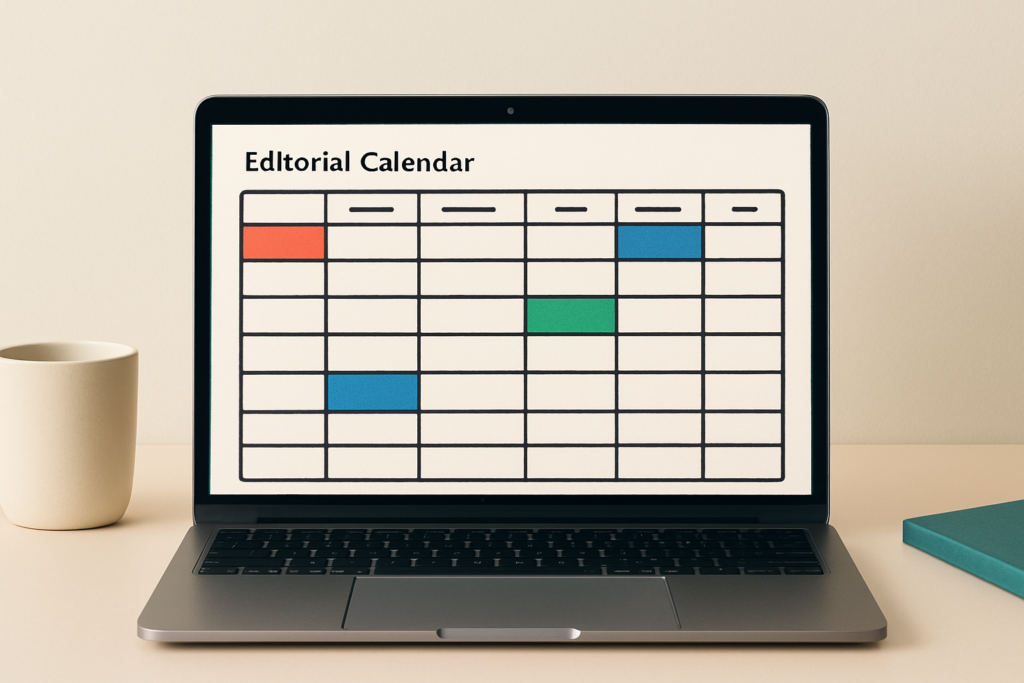
An editorial calendar template gives your team one place to pick the next topics and assign who turns them into finished content. Keep it lean enough to paste straight into Google Sheets or Excel, yet detailed enough to track each piece from brief through review to publication.
If you already run a social posting calendar, this template sits one layer above it. You decide the themes, owners and deadlines here, before anyone drafts a post, an email or a blog article. That gap matters more now: AI drafts faster than people can read, and quick output still needs a human review step plus a clean handoff to whoever publishes.
Most teams open a file like this hoping for something they can actually use, not a lecture. Then they stall on which columns deserve a spot.
- You get the copy-paste Google Sheets grid first, before any long theory.
- The calendar should push work forward in a Monday meeting, not turn into another reporting file nobody updates.
- Excel uses the same headers as Sheets, with table formatting and filters doing the heavy lifting.
- A quarterly B2B example shows how one monthly theme becomes blog, social and sales-support content.
What should your editorial calendar template include?
Start with one row per planned content asset and one clear owner on each one. Before anyone opens a draft, the template should already show the topic, the business reason behind it, the next deadline and the publishing handoff.
| Publish Date | Working Title | Content Type | Theme | Campaign | Primary Channel | Owner | Status | Draft Due | Review Due | CTA | Distribution Plan | Asset Link | Notes |
|---|---|---|---|---|---|---|---|---|---|---|---|---|---|
| 2026-02-10 | How lean teams plan a quarter | Blog pillar | Planning | Q1 Awareness | Blog | Mara | Drafting | 2026-02-03 | 2026-02-06 | Get the template | LinkedIn + newsletter | link | Repurpose into 3 posts |
| 2026-02-12 | 3 columns we deleted | LinkedIn post | Planning | Q1 Awareness | Jonas | In Review | 2026-02-09 | 2026-02-11 | Comment for sheet | Founder profile | link | Pull from pillar | |
| 2026-02-18 | Editorial vs content calendar | Newsletter | Planning | Q1 Awareness | Mara | Approved | 2026-02-13 | 2026-02-16 | Reply with questions | Email list | link | Link to pillar |
Keep the first version practical for a lean B2B team. A founder or marketing manager should read the content idea, the person responsible and the next handoff in a single scan, without opening a second tool to find out where a piece is stuck.
Larger teams can bolt on legal review or paid-promotion fields later, and toolkits like the AMA’s editorial calendar resource show how far that stretches with yearly, monthly and weekly views. Honestly, the risk is real: an above-the-fold grid that looks like a giant database gets abandoned after two weeks. Start small and let the file grow only when a missing field actually costs you a deadline.
How is an editorial calendar different from a content calendar?
An editorial calendar decides what your team wants to say across weeks or months. A content calendar takes those approved ideas and turns them into specific posts and publishing slots.
This matters because the wrong file drags you into the wrong meeting. Choosing campaign themes, assigning owners, checking review deadlines? That is the editorial calendar. Deciding which LinkedIn post goes live Tuesday and which caption needs a final edit? You have dropped down into the posting-level content calendar. Compose.ly frames the editorial layer as the foundation and the content calendar as the tactical build-out on top.
Treat this sheet as the file you open Monday morning, before drafting starts. Once the editorial decisions are approved, a posting-level companion sheet can sit underneath and handle cadence, channel timing and the execution of each individual post.
Which editorial calendar columns should you keep?
Keep a column when it changes the next action for an owner. Drop it when nobody looks at it during the weekly meeting.
Group your fields by how often a real decision depends on them. The first group belongs in nearly every calendar: it tells the team what is shipping, who owns it and when work has to move. The second group helps B2B teams tie content to the buyer journey, search demand and sales follow-up. The third group should vanish the moment you work solo, or whenever the process is too simple to justify the upkeep. Semrush’s field breakdown lands on a similar core set.
- Keep in almost every calendar: publish date, working title, content type, theme, campaign, primary channel, owner, status, draft due, review due, CTA, distribution plan, asset link.
- Add for B2B depth: persona, funnel stage, target keyword, SME reviewer, sales use case and a repurpose note.
- Delete when solo: reviewer, approval due, agency or client, budget, paid support and legal review.
Give yourself permission to delete. Most templates fail because they ask a small team to maintain fields built for agencies, regulated industries or paid campaigns. If a column never changes a deadline, an owner or a distribution call, it is decoration. And decoration is exactly what makes a calendar feel like homework.
How do Sheets and Excel change the template?
Almost nothing changes between Google Sheets and Excel. Sheets mainly helps with shared, simultaneous editing. Excel mainly needs clean table formatting and working filters.
Don’t rebuild the calendar just because your team prefers one tool. Paste the same header row into Excel, then format the range as a table with headers so filters and status dropdowns do the work. In Sheets, the one real setup call is who gets edit access and which ranges you protect from accidental edits.
- Sheets: set Viewer, Commenter or Editor access per person before you share the link.
- Sheets: protect the header row and any formula columns so nobody overwrites them.
- Excel: select the range and use Format as Table with the header option ticked.
- Both: turn the Status column into a dropdown so filtering by stage takes one click.
How far ahead should the editorial calendar plan?
Plan the quarter, lock the next month, review the week. No single number of weeks fits every team, and planning-horizon guidance reflects exactly that.
Use the annual view only for the big rocks: major themes, launches and seasonal moments. The quarterly view carries your campaigns and pillar topics. The monthly view holds titles, owners and deadlines in detail. The weekly review is where you catch blockers before they turn into missed publish dates. A short, repeatable weekly review routine is what keeps the whole file alive.
A three-person consulting team and a larger SaaS marketing group should not plan at the same depth. But both win from the same weekly ritual, because a calendar nobody revisits quietly drifts out of date.
What does a quarterly B2B calendar look like?
A useful quarterly B2B example gives each month one main theme and a handful of assets that feed the channels buyers actually use. It should show production, review and distribution, not just a list of publish dates.
Twelve weeks gives enough shape without pretending every team publishes daily. Month one opens with an awareness pillar. Month two moves into a comparison guide or webinar. Month three turns the quarter into proof and sales enablement. The channel mix is not guesswork either: CMI’s 2026 B2B research rates LinkedIn the most effective thought-leadership channel at 76%, ahead of email newsletters at 54% and webinars at 52%.
| Week | Theme | Asset | Owner | Due | Review | Channel | Distribution Notes |
|---|---|---|---|---|---|---|---|
| 1 | Awareness | Pillar blog | Mara | Jan 6 | Jan 8 | Blog | Seed 3 LinkedIn posts |
| 2 | Awareness | LinkedIn thread | Jonas | Jan 13 | Jan 14 | Founder profile | |
| 3 | Awareness | Newsletter | Mara | Jan 20 | Jan 22 | Link back to pillar | |
| 4 | Awareness | Carousel | Jonas | Jan 27 | Jan 28 | Repurpose pillar points | |
| 5 | Consideration | Comparison guide | Mara | Feb 3 | Feb 5 | Blog | Gate as lead magnet |
| 6 | Consideration | Webinar | Lena | Feb 10 | Feb 12 | Webinar | Promote on LinkedIn + email |
| 7 | Consideration | Webinar recap | Jonas | Feb 17 | Feb 18 | Clip key moments | |
| 8 | Consideration | Case-study snippets | Mara | Feb 24 | Feb 25 | Tease month 3 story | |
| 9 | Conversion | Customer story | Mara | Mar 3 | Mar 5 | Blog | Sales shares in deals |
| 10 | Conversion | Sales enablement post | Jonas | Mar 10 | Mar 11 | Tag the customer | |
| 11 | Conversion | Offer email | Lena | Mar 17 | Mar 18 | Clear single CTA | |
| 12 | Conversion | Campaign recap | Mara | Mar 24 | Mar 25 | Pull metrics for review |
One strong pillar asset per month can create several distribution moments once the calendar shows the handoff instead of treating publication as the finish line. A planner hub that keeps that rhythm visible helps a lean team see the next move at a glance.
A calendar your team can open Monday
A good editorial calendar will not make your team more creative on its own. What it does is clear away the small handoff questions (who owns this, when is it due, where does it go) that quietly eat the hours you wanted to spend thinking.
That payoff grows as AI drafts faster. When a tool can produce a draft in seconds, the review field becomes the part that protects your brand, because speed without an owner is how brand drift creeps in. Keep the columns that change a real decision and delete the ones that never move a deadline. At the end of the day, the best template is the one your team still updates during a genuinely busy week.
Copy the header row into Google Sheets or Excel today and fill only the next month in detail. Once each row is approved, use Trustypost to turn the topic and your brand context into social posts your team can review and publish, with the human check still sitting where it belongs.
Frequently Asked Questions (FAQ)
Can I use the same editorial calendar template for blog and social media?
Yes. One editorial calendar can cover both, as long as it tracks the theme before the individual post. Use it to lock the main idea, the owner and the deadline, then let your social content calendar handle the exact post formats and publishing slots.
Does an editorial calendar replace a content calendar?
No. It usually sits above the content calendar rather than replacing it. The editorial calendar decides themes, priorities and production ownership; the content calendar handles the day-to-day publishing schedule. Most teams run both, just at different moments in the week.
How far ahead should a small B2B team fill the calendar?
Plan the quarter and fill only the next month in real detail. Later months can stay light, which leaves room to react to sales conversations, product updates and campaign changes without rewriting weeks of work you had already locked in.
What status options should I use in an editorial calendar?
Use statuses that show where work is stuck, not just whether it is done. A practical flow runs from idea to approved, then through brief, drafting, in review, revisions, approved to schedule, scheduled and published. A “refresh later” status helps you find pieces worth updating.
What columns can I delete if I work alone?
Solo operators can usually drop reviewer, approval due, agency or client, budget and legal review. Keep the owner column only if you use it to separate your own roles, such as writing, design and publishing. Otherwise it adds upkeep without changing a single decision.
Should AI-generated ideas go into the editorial calendar?
Yes, once a human approves the topic and angle. With heavy AI use across social workflows in 2026, the calendar should carry review and brand-voice checks so nothing slides into a draft before a person has signed off on the idea.

