
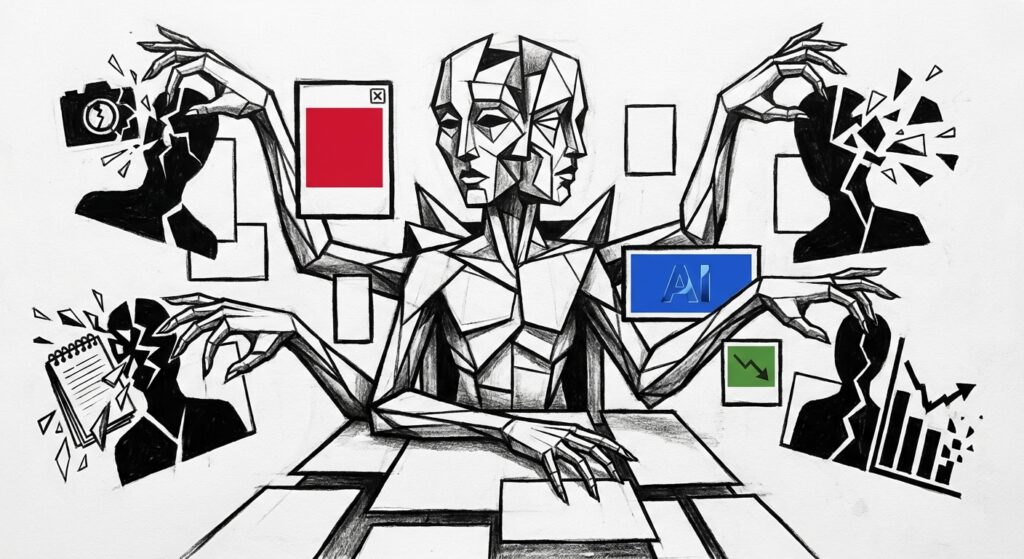
A social media AI manager takes over the repeatable production parts of running a social account, while a person still owns the brand judgment behind it. In practice, the tool helps most with ideas, first drafts, repurposing, scheduling support, and analytics summaries, not with the final call on what your brand says.
The honest answer matters because many tools now sell the idea of an AI manager as if it were a hire. If you run a lean B2B team, the useful question is simpler: which parts of your weekly social workload can AI take off your desk without making your brand sound generic or careless?
The tension behind that question is what this article unpacks, because the gap between vendor pitch and operational reality is where most teams either over-trust the tool or refuse to use it at all.
- AI is strongest before publishing, especially when it turns rough inputs into usable drafts.
- A human should still approve anything that affects trust, customers, reputation, or legal exposure.
- Lean B2B teams get the most value when AI compresses the weekly workflow instead of running the account alone.
- Automated replies need tighter control than automated drafting because a reply lands inside a real relationship.
What does a social media AI manager replace?
A social media AI manager replaces task fragments, not full ownership of the channel. It can start the work, speed it up, and summarize it afterward, but it should not become the final authority on what your brand says.
The clearest evidence sits in how working teams actually use the tool. The 2026 AI in Social Media report shows 59.5% lean on AI for analytics and reporting, 59.5% for ideation and trend research, and 45.9% for captions and post copy. The pattern is consistent: AI takes the first pass on the blank page, turns one topic into several caption drafts, adapts an idea for LinkedIn or Instagram without a full rewrite, and compresses analytics into a few readable lines. Visual concepts work the same way. The draft is fine; the judgment of whether the idea feels credible for your brand is still yours.
The practical split below is what we apply when running this layer ourselves, and it is also where our 30-minute batch drafting routine sits inside the broader workflow.
| Task area | AI-handled work | Human-required boundary |
|---|---|---|
| Ideation | Angles, hooks, topic variants from a rough input | Choosing what ties to a real buyer problem |
| Drafting | Caption variants, platform-specific copy | Tone check, proof, point of view |
| Repurposing | Turning one asset into a post batch | Deciding what is worth republishing |
| Analytics | Summarizing reach, engagement, response patterns | Reading what the numbers mean for next week |
| Replies | Sorting, grouping, suggesting answers | Sending anything sensitive or named |
Which social media tasks should humans keep?
You should keep the tasks where context changes the meaning of the post. That covers final editing, brand judgment, customer nuance, crisis response, and anything that may need legal or executive approval.
The role earns itself the moment a post carries reputation risk. A customer claim may need permission before it becomes content. An upset buyer needs someone who can read the relationship behind the complaint, not a generic apology paragraph. Trend commentary needs taste, because consumers expect brands to understand online culture without chasing every meme.
The trust backlash is the clearest warning sign here. Sprout Social’s 2026 research found that 50% of Gen Z respondents have already unfollowed, muted, or blocked accounts because content felt like AI slop, and 56% of consumers see that kind of content often or very often. The lesson is not that AI writing is useless, but that the human edit has to add proof before the post goes live.
Worth noting: Among UK consumers in Sprout’s Q1 2026 Pulse Survey, “posting AI-generated content without labels” topped the list of things people wished brands would stop doing on social media, at 28%.
How should a B2B team use AI for social media?
A lean B2B team should treat AI as a weekly production layer. The best workflow starts with real business inputs, turns them into drafts, routes them through approval, and then uses performance signals to improve the next batch.
The adoption pressure is already there: CMI’s 2026 B2B research reports that 95% of B2B marketers use AI-powered applications, and 38% use social tools for scheduling, analysis, and automated posting. What is missing in most setups is the routine that connects those tools to real buyer language instead of generic templates.
- Collect one real input from sales, delivery, product, or a customer conversation each Monday.
- Ask AI for angles and pick the one that ties to a concrete buyer problem.
- Draft the post batch with AI, then check proof and tone before anything enters the calendar.
- Queue the approved batch in your scheduler rather than improvising publishing every morning.
- Review response signals at week’s end and feed the evidence into next week’s input.
Step four is where most lean teams leak time, which is why the right scheduler for your team size matters as much as the drafting layer. Once a batch is approved and queued, the marketer gets the rest of the week back for proof gathering, replies, and the conversations AI cannot have for you.
Can AI handle social comments and DMs?
AI can help with comments and DMs, but it should usually draft replies rather than send them on its own. The safer use case is sorting, summarizing, and suggesting responses for a human to review.
Engagement is different from drafting because the other person can feel the shortcut immediately. Metricool’s State of AI in Social Media found that only 17% currently use AI to respond to comments and messages, and the restraint makes sense. AI can group common questions, flag repeated complaints, and prepare reply options for a busy operator. That helps a small team move faster without pretending every message is low-risk.
Keep a human in the loop when the message involves pricing, dissatisfaction, legal concern, or a named customer situation. A public reply travels much further than the original post, so the minutes saved by automation disappear quickly if the answer sounds cold or wrong.
When does an AI social media manager fit?
An AI social media manager fits best when the bottleneck is consistent execution. It fits poorly when the bottleneck is unresolved positioning, community trust, or high-stakes customer communication.
That distinction lines up with the operator reality. Emplifi’s 2026 marketing survey reports that 57% of social teams have fewer than six people, and 76% feel burnout at least occasionally. Compression beats replacement for those teams, because the missing ingredient is hours, not strategy. If you want a starting point for which tools fit which role in your stack, our comparison of AI social media tools walks through that decision by team shape.
| Operator type | Where AI helps most | Where a human should stay close |
|---|---|---|
| Founder posting solo | Drafts, repurposing, weekly rhythm | Customer stories, sales-adjacent posts |
| Solo marketer in a SaaS team | Batch creation, analytics summaries | Positioning, launch posts, executive voice |
| Agency on retained accounts | First drafts, platform adaptation | Client approval, sensitive replies |
| Brand in crisis or repositioning | Light support only | Every public message |
What rules govern AI social media posts?
AI social media posts still need the same approval discipline as human-written posts. The tool can draft the content, but the account owner remains responsible for disclosure, platform rules, and claims that could mislead buyers.
Treat AI-drafted posts as content that still passes through rules, not as a separate category. The four checks below catch most of the posts that make AI-assisted accounts look careless.
- Synthetic media check: if the post uses realistic AI-generated images, audio, or video, confirm whether the platform requires a label.
- Automated reply check: if the tool will reply to a person on its own, confirm the platform allows it without prior approval.
- Disclosure check: for endorsements or partner content, place the disclosure with the message itself, as the FTC’s guidance for social endorsements requires for any material connection.
- Screenshot check: ask whether the claim would survive a customer screenshot before publishing.
A realistic AI manager scope
The real shift here is upstream. The social role moves toward maintaining inputs, rules, and review rhythm, because the tool can only repeat the signals it receives. A stronger prompt will not fix weak positioning, missing proof, or unclear approval rules.
The best AI setup feels boring in a good way: the daily scramble is gone, the weekly batch is predictable, and the team spends its real attention on conversations, proof, and the few posts that carry actual weight. The decision is less about replacing a person and more about removing the production work that kept that person stuck.
A practical next step: run a two-week trial with one clear boundary. Let AI draft, adapt, schedule, and summarize, but keep approval and replies human. After two weeks, compare time saved against post quality and response quality before you expand the workflow. If the trial holds up, you have a defensible scope. If it does not, you know exactly which step needs more human attention before you scale anything.
Frequently Asked Questions (FAQ)
Can AI write social media posts in my brand voice?
Yes, AI can draft social posts in your brand voice when it has real inputs from your website, past posts, offers, and buyer language. The draft still needs editing before it represents the brand. In one 2026 survey, 78.4% of respondents applied moderate or extensive editing before publishing AI-assisted social posts.
Does AI-generated social content perform better?
Sometimes, but the data does not prove a universal lift. One 2026 survey found that 44.7% said AI-assisted content performed better, while 31.6% were unsure or had not compared. Treat AI as a production advantage first, then measure whether your own audience responds better.
Can I let AI publish social posts without approval?
Yes, some tools can publish without manual approval, but a lean B2B team should avoid making that the default. Approval matters most when a post includes customer proof, a strong claim, a sensitive topic, or anything tied to a partnership. Use automation for the queue, not for the final judgment.
Should AI-generated social posts be labeled?
Label realistic AI-generated media when the platform requires it. For normal text drafted with AI, rules vary by platform and context. If the post could make people believe something realistic happened, check the platform rule before publishing.
Will an AI social media manager replace a freelancer?
It can replace parts of a freelancer’s production workload, especially first drafts, repurposing, scheduling support, and reporting summaries. It does not replace a strong freelancer’s judgment around positioning, taste, approvals, and community response. If you only need volume, AI may cover more of the job; if you need strategy, it will not.
What should a small B2B team automate first?
Automate the first draft layer before you automate engagement. Start with idea generation, post drafting, repurposing, scheduling support, and analytics summaries. Leave comments, DMs, customer complaints, and public escalations under human control until you have clear rules and a review habit.

